Ride with GPS
Ride with GPS is the navigation app I use to create and manage the cycling routes for One Life Japan trips.
It is also the easiest way to follow the routes during your trip. The routes in your itinerary can be opened directly in Ride with GPS, so there is no need to download GPX files, import routes into another app, or set them up yourself.
Easy to Use with Your Itinerary
1. Open the Route from Your Itinerary
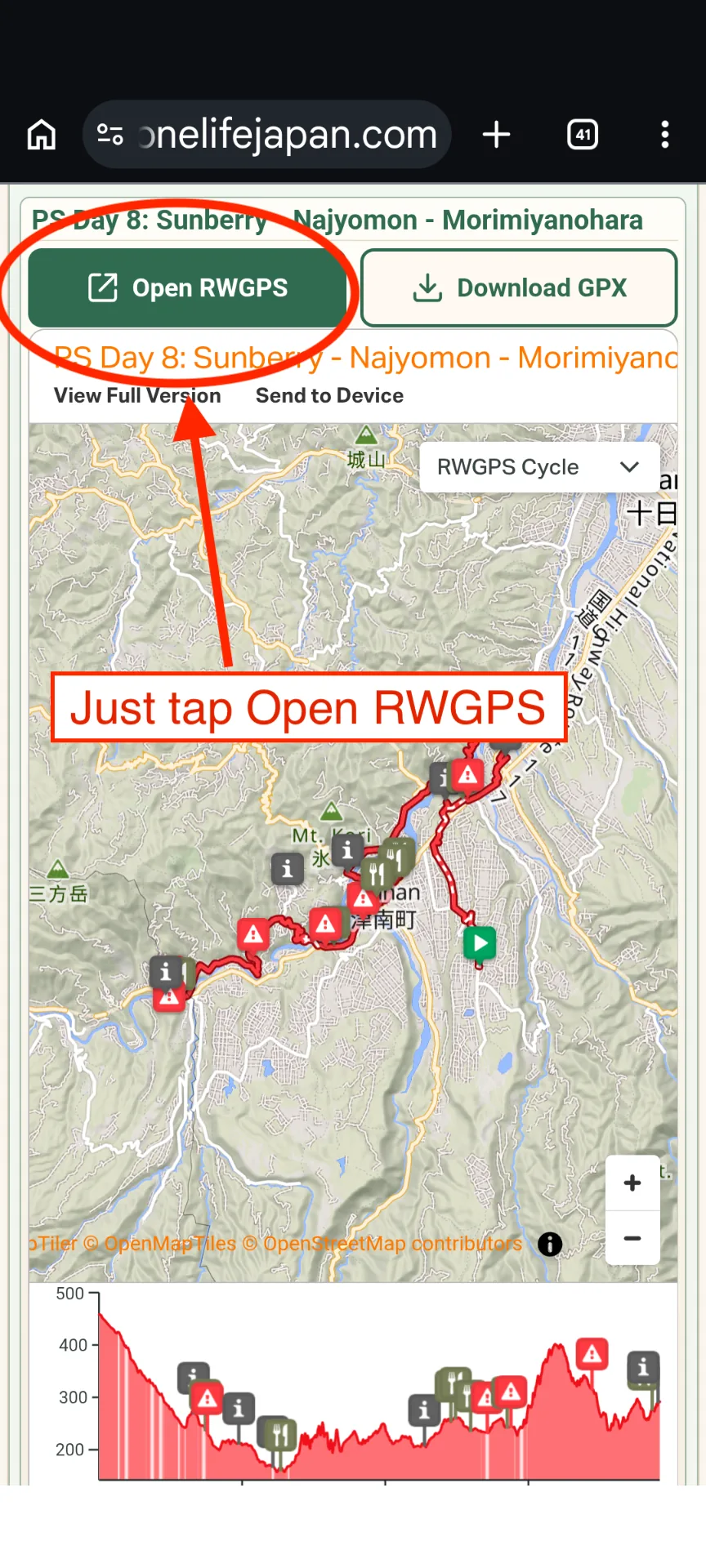
On a cycling day, simply tap Open RWGPS above the route map in your One Life Japan itinerary.
The route will open directly in the Ride with GPS app.
2. Start Navigation
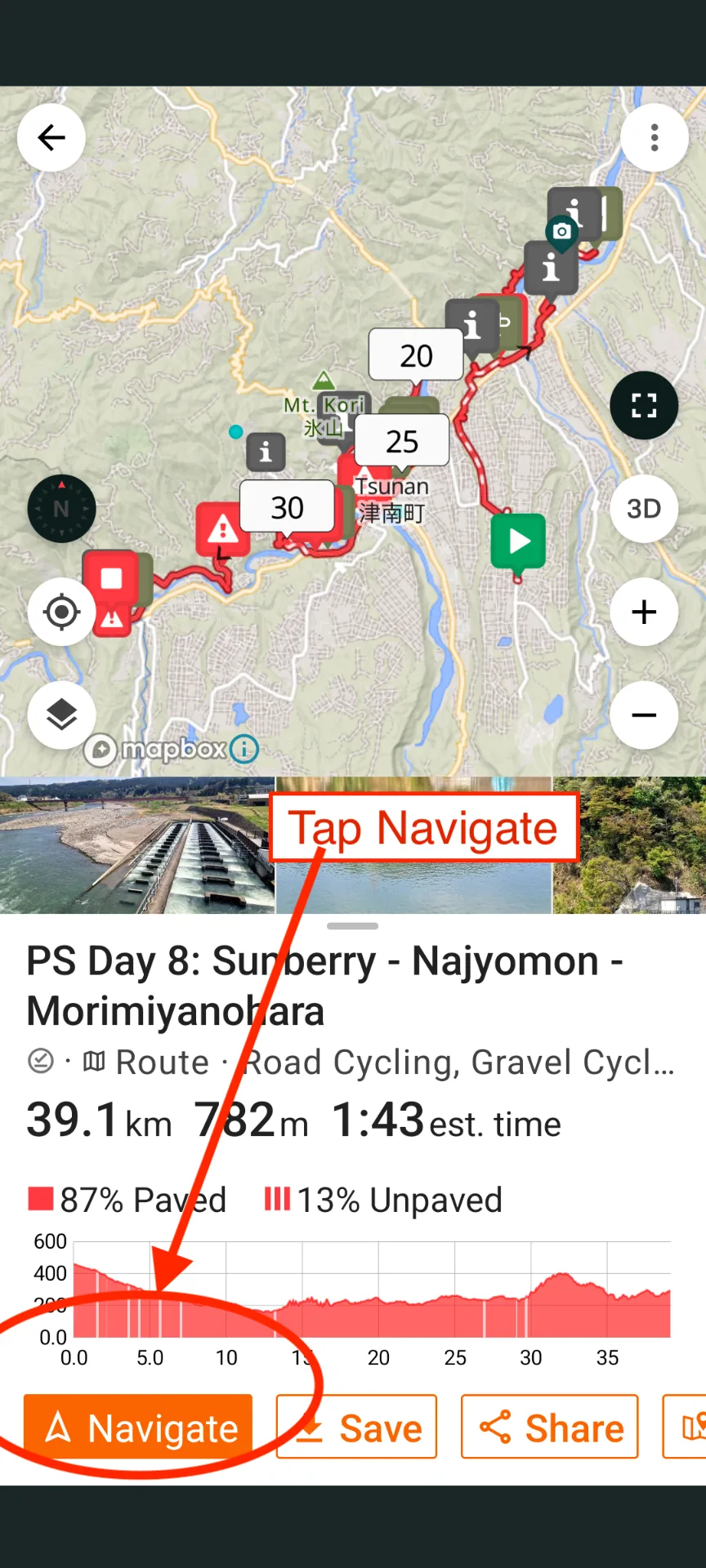
Once the route opens in Ride with GPS, tap Navigate to start following the route.
There is nothing else to download or import. The route is ready to use.
3. Follow Your Progress and Elevation
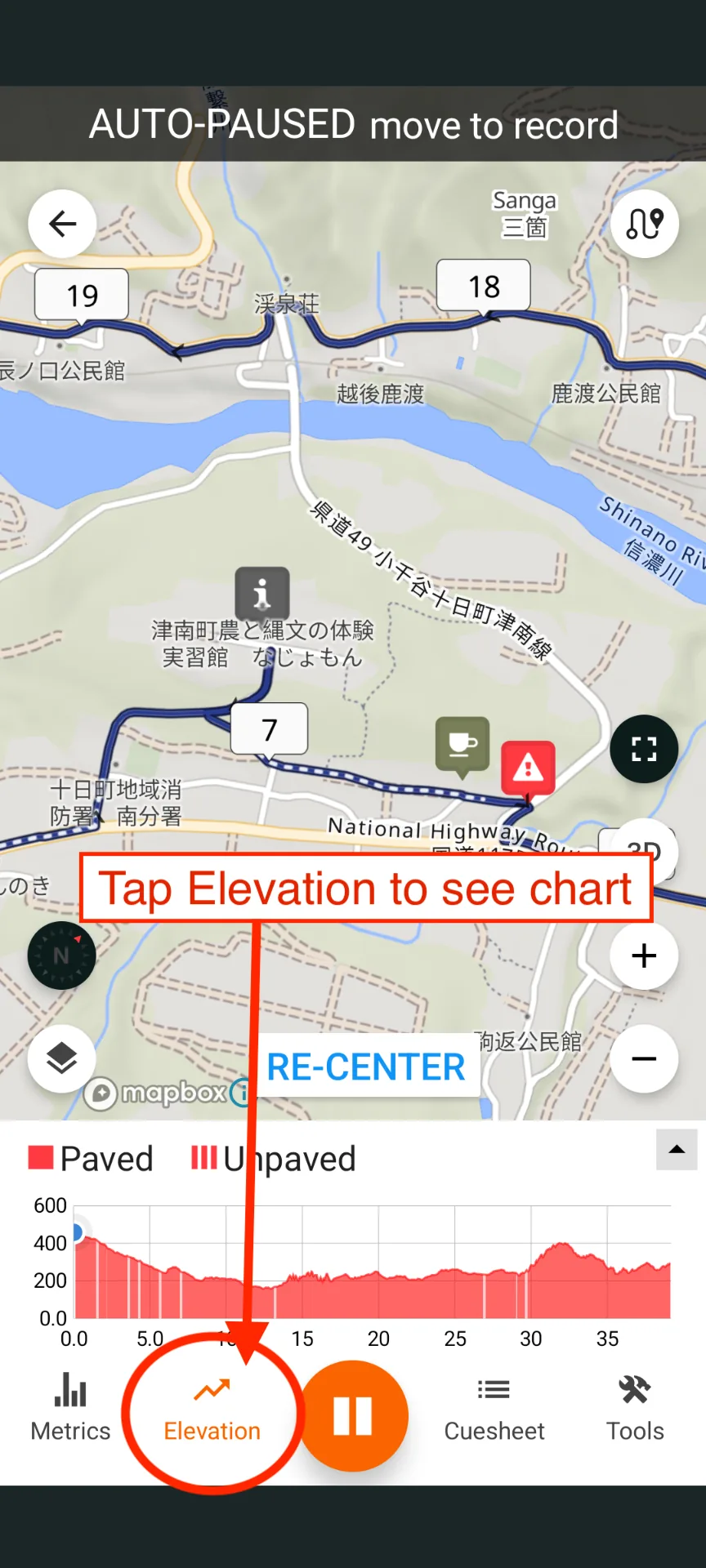
While riding, tap Elevation to display the elevation profile.
This is particularly useful on mountain rides. Your position is shown on the elevation profile, so you can see where you are on a climb and get a much better idea of how much climbing remains.
Useful While Riding
The Ride with GPS route contains the information I added while planning the ride, including points of interest, warnings and kilometer markers.
These appear directly on the map while you ride, making it easy to see upcoming locations and where you are along the route.
The maps are also available within Ride with GPS, so there is no need to find and download separate base-map layers before using the routes.
Share Your Location
Ride with GPS also allows you to share your live location with me while you are riding.
This is useful if you need assistance, are delayed, take a wrong turn, or need to arrange a pickup. I can see where you are on the route without you needing to work out and explain your location.
How to Share Your Location with Ride with GPS
Subscription Options
To use the navigation features, you will need the appropriate Ride with GPS subscription.
There are two practical options, depending on how long you need to use Ride with GPS.
7-Day Free Trial
Ride with GPS offers a 7-day free trial when you select the yearly Premium subscription.
A payment method is required when starting the trial.
If you only want to use the free trial, remember to cancel before the 7 days are over. Otherwise, Ride with GPS will charge you for the yearly subscription.
This option can work well if you only need Ride with GPS navigation for 7 days or less.
Monthly Subscription
If you need Ride with GPS for longer than 7 days, the monthly Premium subscription may be a better option.
The monthly subscription does not include the 7-day free trial. You pay for one month when you sign up, and you can cancel the subscription so that it does not renew for another month.
This gives you the navigation features for the full month without committing to a yearly subscription.
Which Option Should I Choose?
Choose the option that best matches how long you expect to use Ride with GPS:
- 7 days or less: The 7-day free trial may be enough. Remember to cancel it before the trial ends if you do not want the yearly subscription.
- More than 7 days: A one-month subscription will usually be the simpler option.
Once Ride with GPS is installed and your account is ready, you can open the cycling routes directly from your One Life Japan itinerary and start navigating.