Share Your Location with Ride with GPS
Ride with GPS can share your location while you are riding.
Please turn on Live Logging so that One Life Japan can see your current location during your ride. This is useful if you need assistance, are delayed, or need to be picked up.
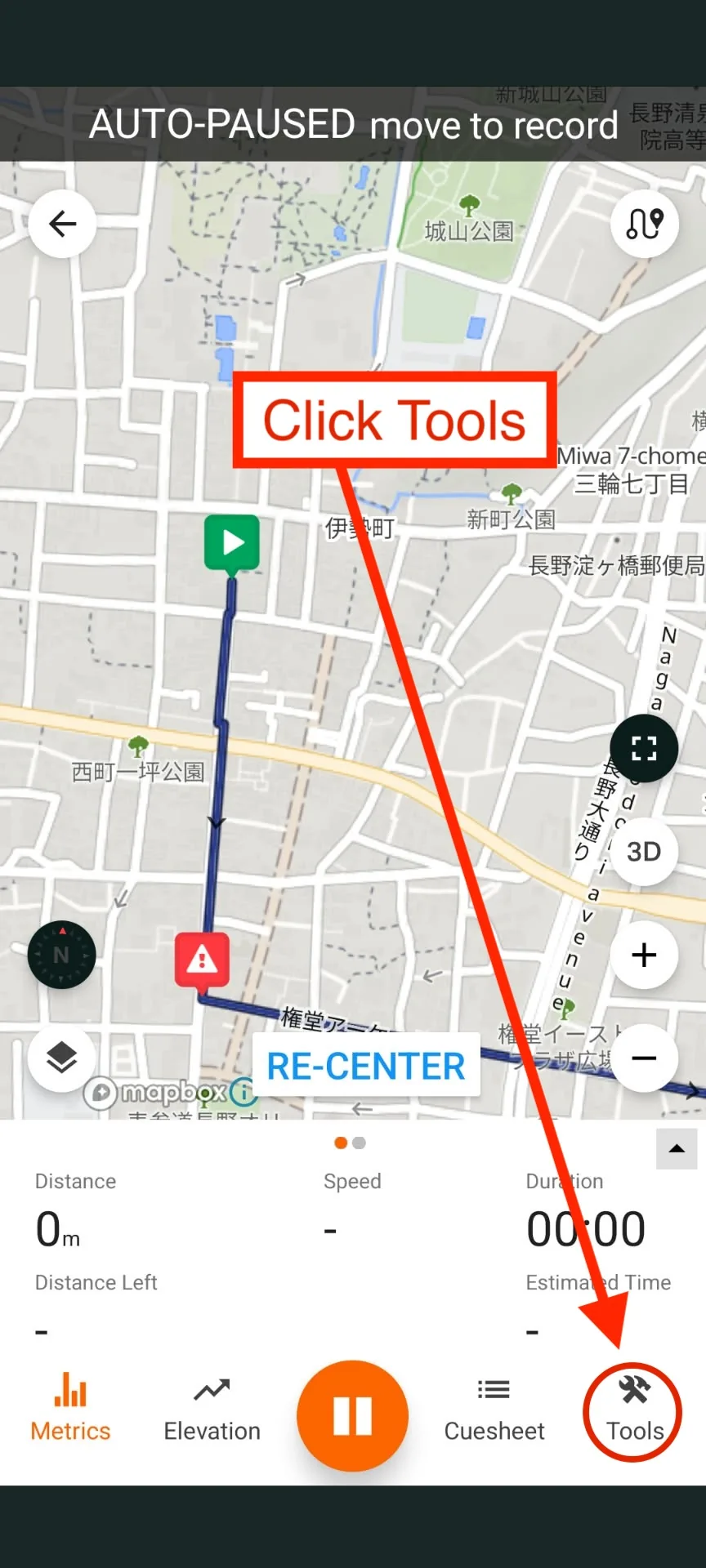
Step 1 - Open Tools
While you have your ride open in Ride with GPS, tap Tools at the bottom-right of the screen.
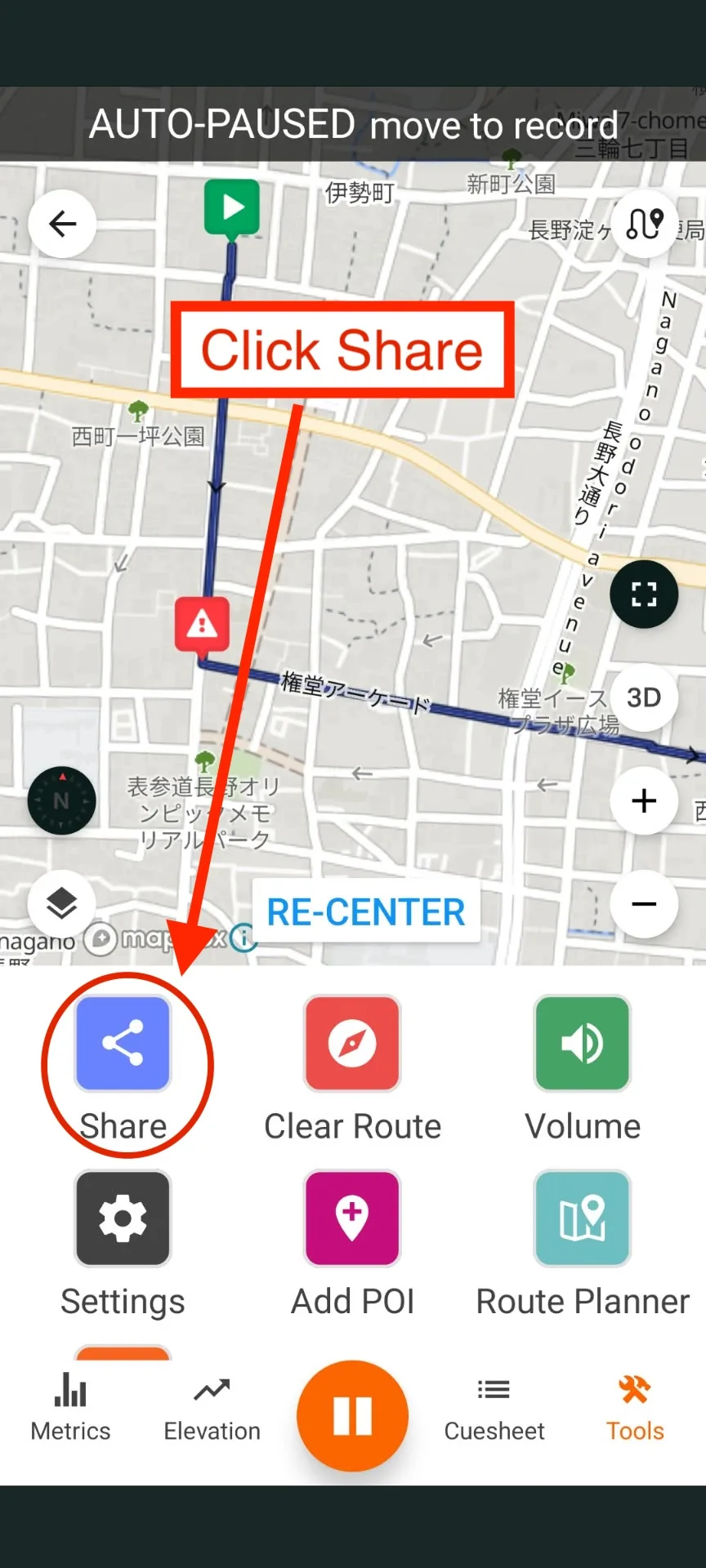
Step 2 - Open Share
Tap Share.
Step 3 - Enable Live Logging
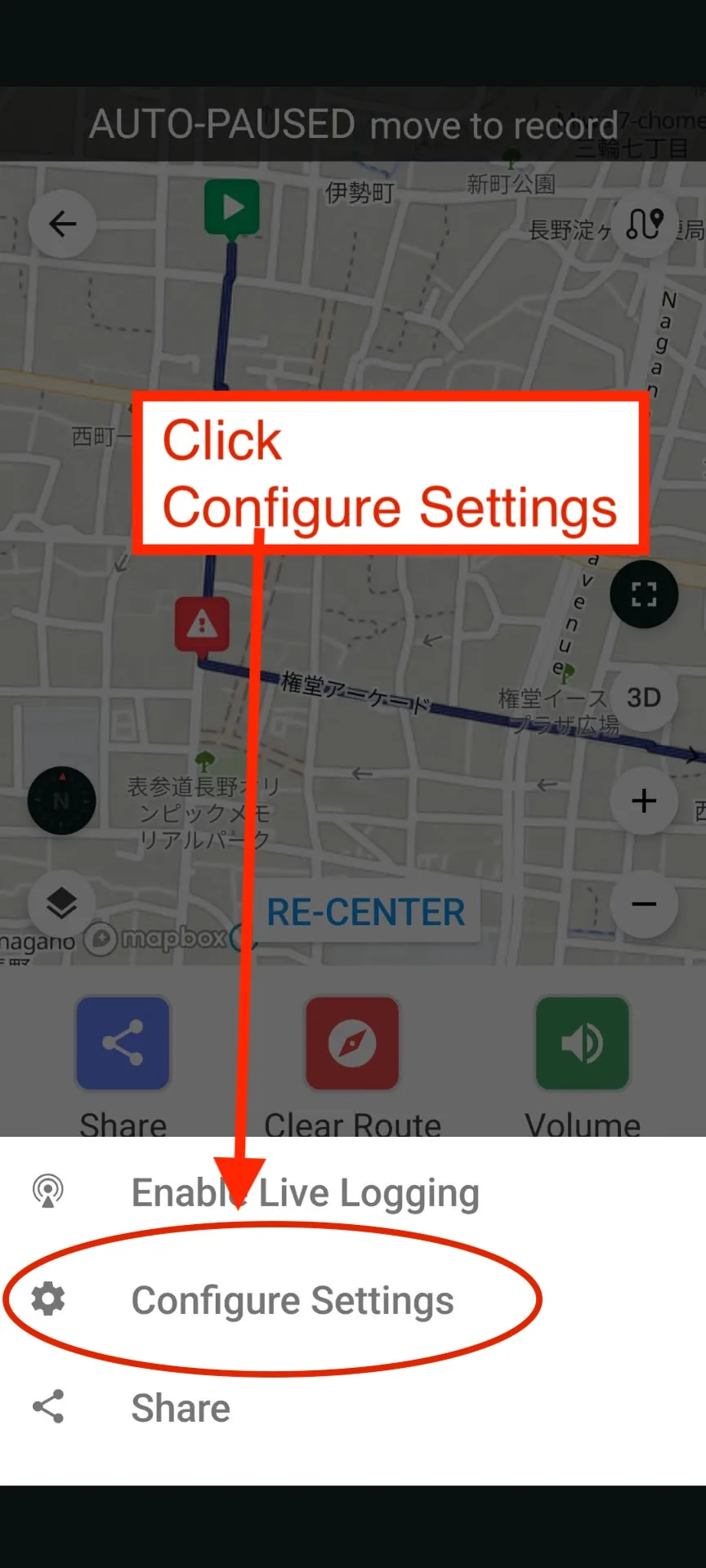
Tap Enable Live Logging.
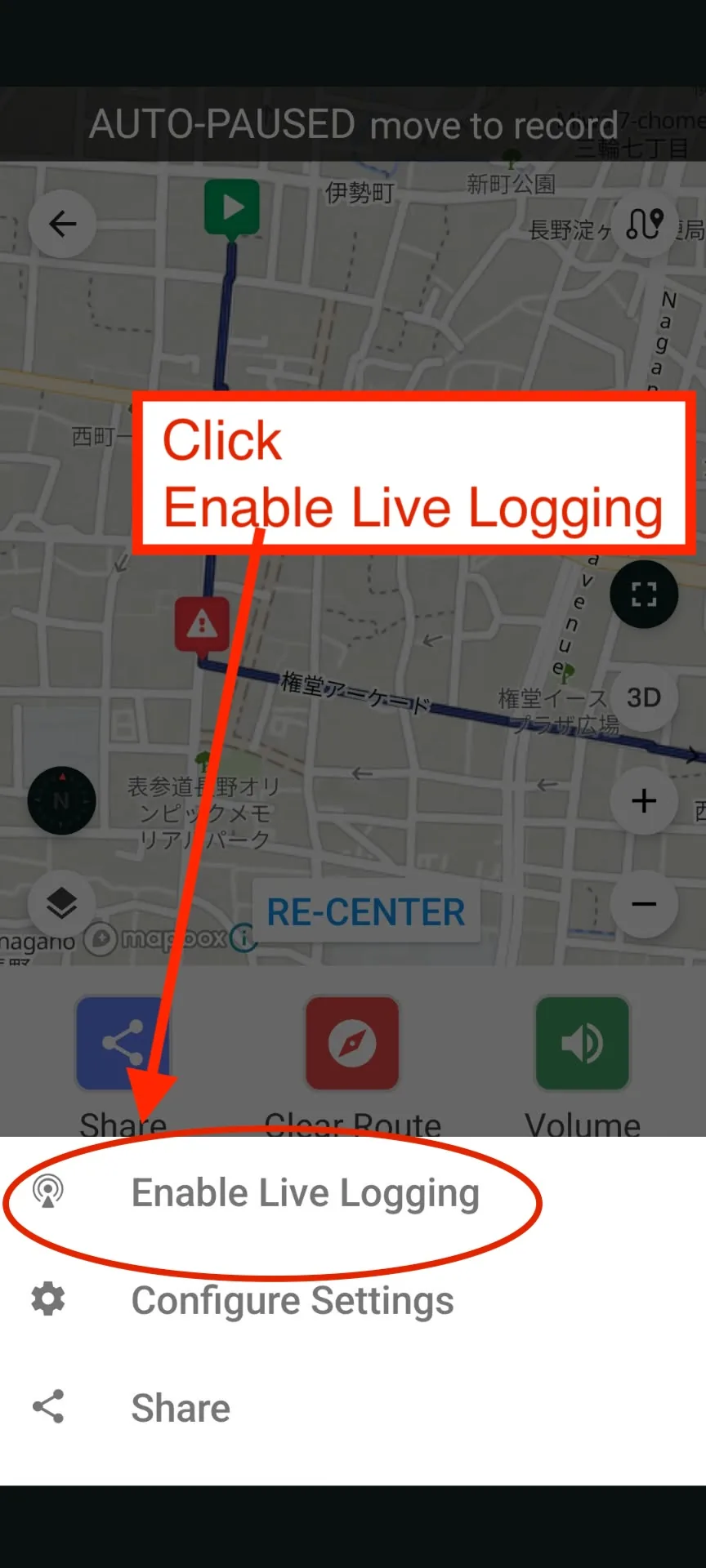
Once Live Logging is enabled, Ride with GPS will periodically send your current location while you ride.
Step 4 - Share Your Live Location
Open the same menu again and tap Share.
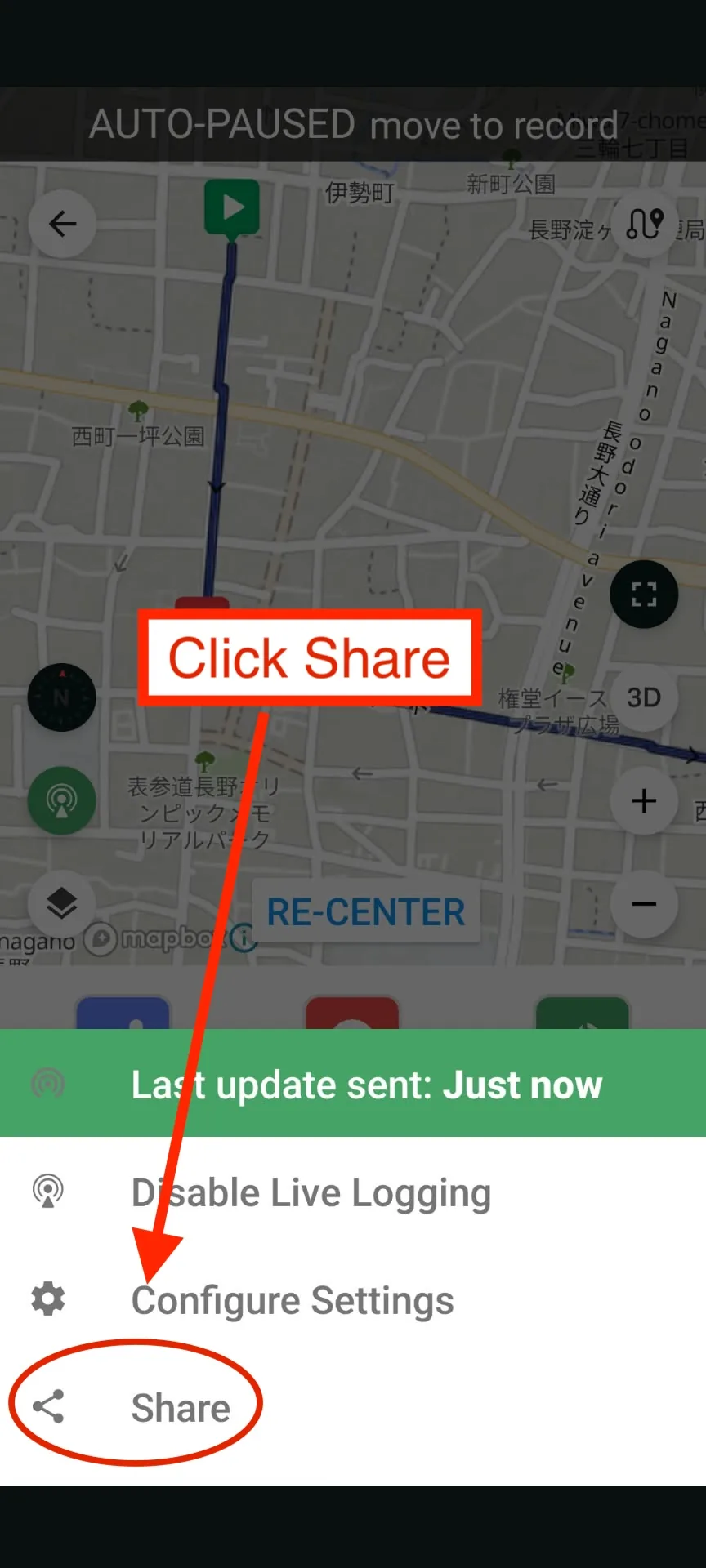
Your phone's normal sharing screen will open.
Choose how you want to send the link, such as WhatsApp, email, text message, or another messaging app.
Send the link to Kevin or One Life Japan, or whichever works best. You can also share with other people in the group.
The sharing screen will look different depending on the phone and which apps are installed.
This is the link that allows us to see your location while you are riding.
Step 5 - Open Live Logging Settings
Open the Share menu again and tap Configure Settings.
Step 6 - Enable Live Logging for Every Ride
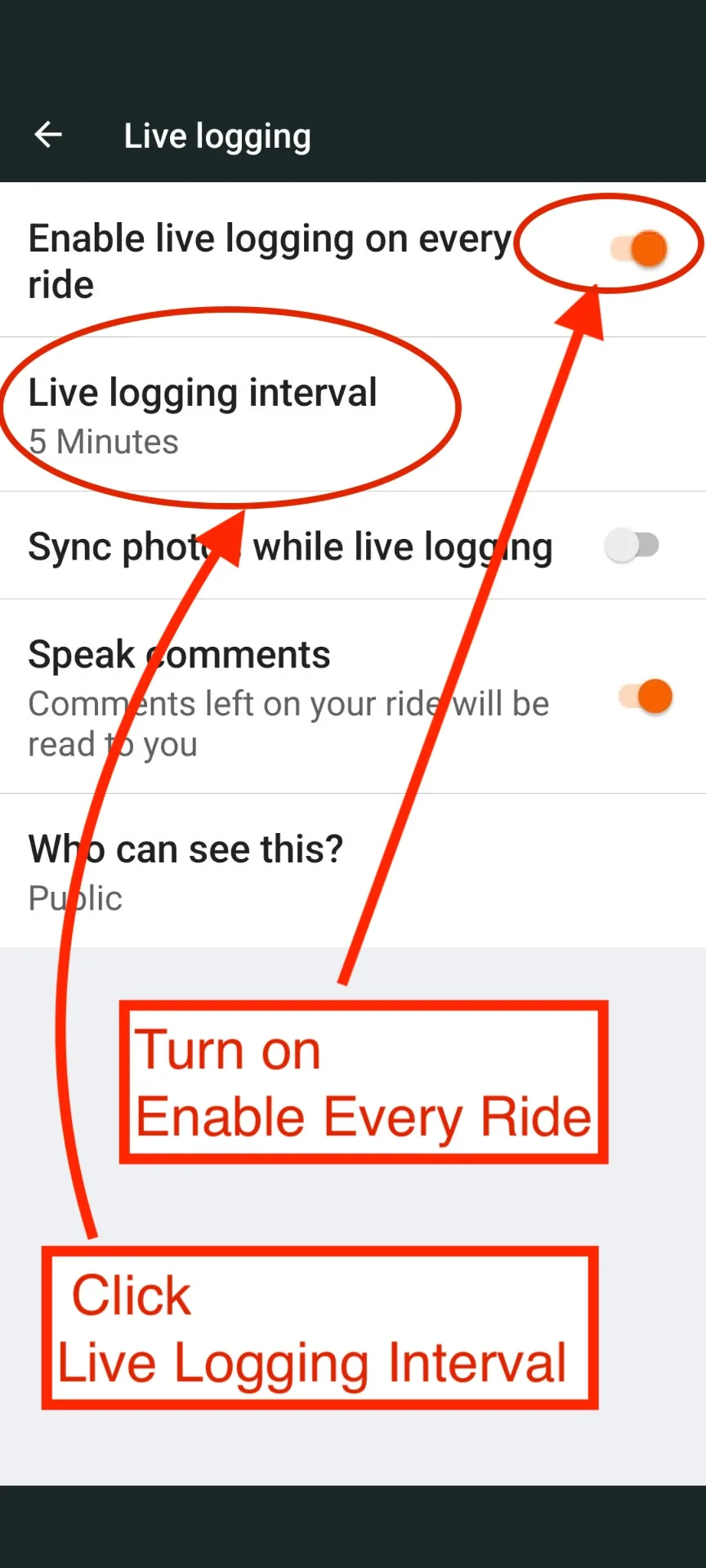
Turn on Enable live logging on every ride.
This means you will not need to manually enable Live Logging each time you start a new ride.
Then tap Live logging interval.
Step 7 - Set the Location Update Interval
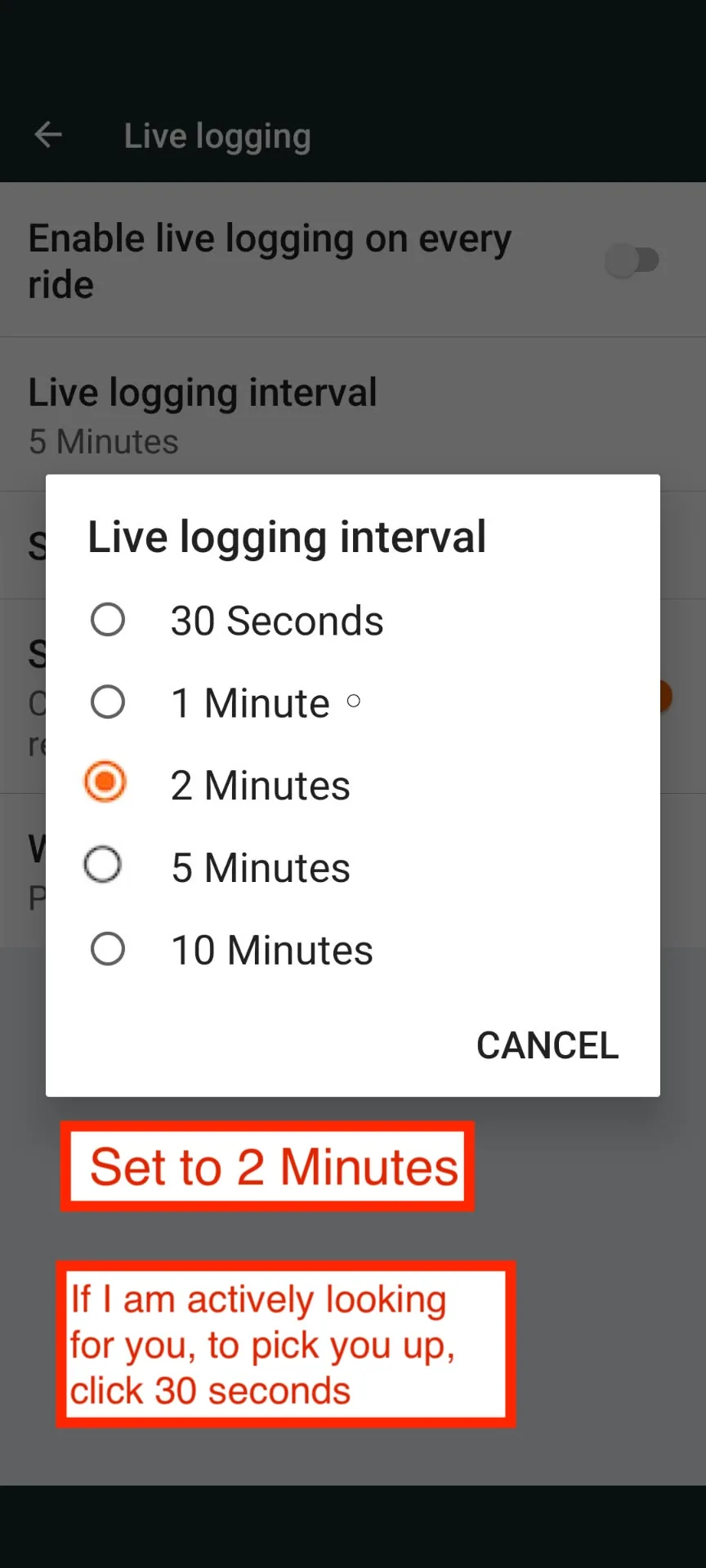
Normally, set the Live logging interval to 2 Minutes.
Normal riding
Use 2 Minutes.
This gives us regular location updates without sending your location unnecessarily often.
If we are actively trying to find you
If you have contacted us for help and we are actively looking for you or driving to pick you up, change the interval to 30 Seconds.
This gives us more frequent location updates and makes it easier to find your current position.
After we have found you, you can change it back to 2 Minutes.
Before You Start Riding
Make sure:
- Live Logging is enabled
- Enable live logging on every ride is turned on
- Your normal Live Logging interval is 2 Minutes
- You have sent your Live Logging share link to One Life Japan
You can then use Ride with GPS normally for your ride.