Quick Reference
This page is a quick guide to using your trip itinerary.
You do not need to learn everything here before the trip. The itinerary is designed so that you can simply open each day and follow along. If you are unsure what a button, icon, map, or section does, you can come back to this page for reference.
Your Daily Itinerary
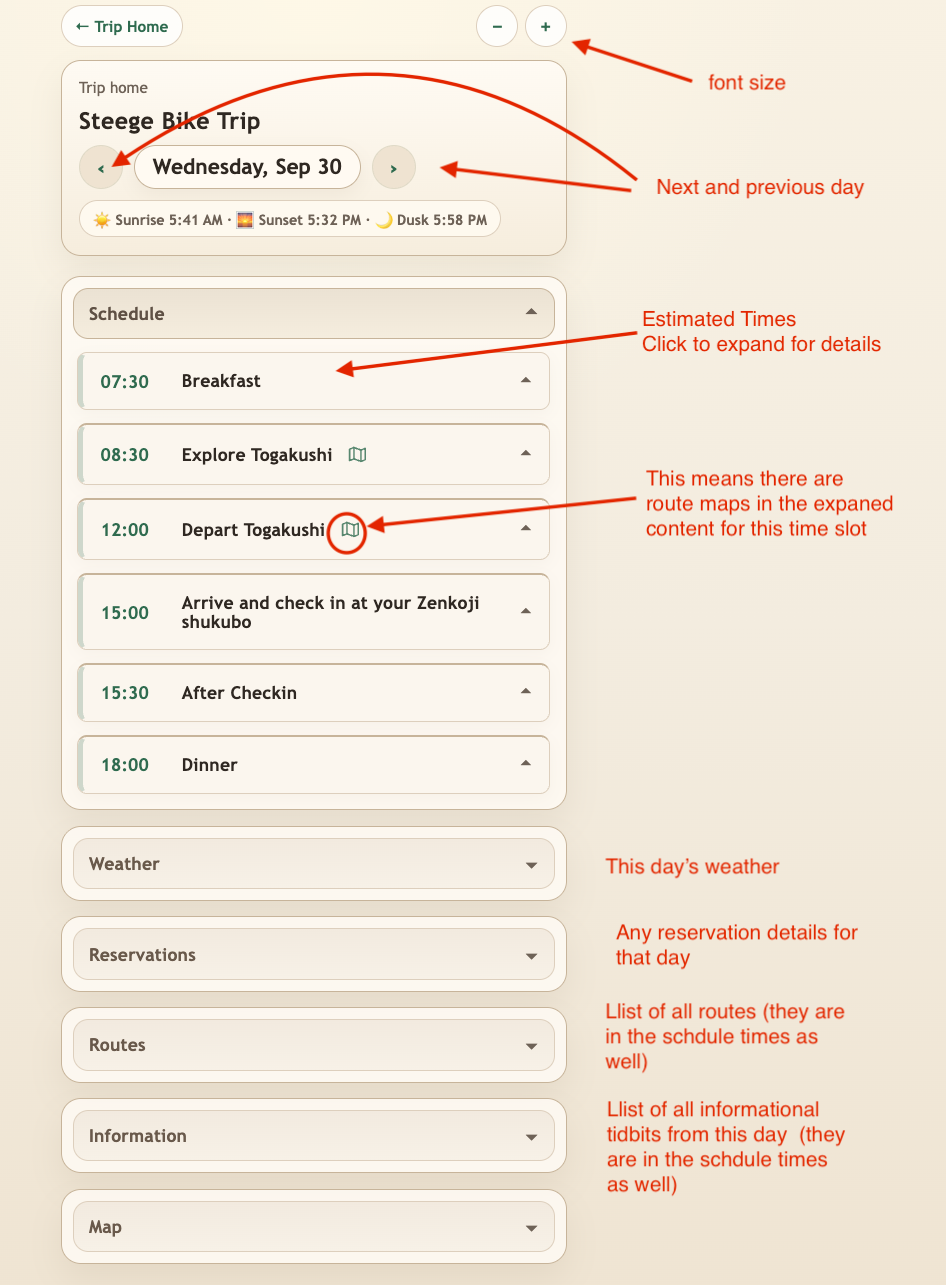
Each day is organized around a Schedule with approximate times for the main parts of the day.
The times are there to help you plan the day. They are not meant to be a rigid schedule unless the itinerary specifically says that something has a fixed time.
Click any schedule item to expand it and see the details for that part of the day.
A map icon beside a schedule item means that there are one or more cycling routes associated with that part of the day.
At the top of the page:
- Use the left and right arrows to move between days.
- Use the - and + buttons to make the text smaller or larger.
- Trip Home returns you to the main page for your trip.
Below the schedule are additional sections for the day's weather, reservations, routes, information, and map.
Additional Information
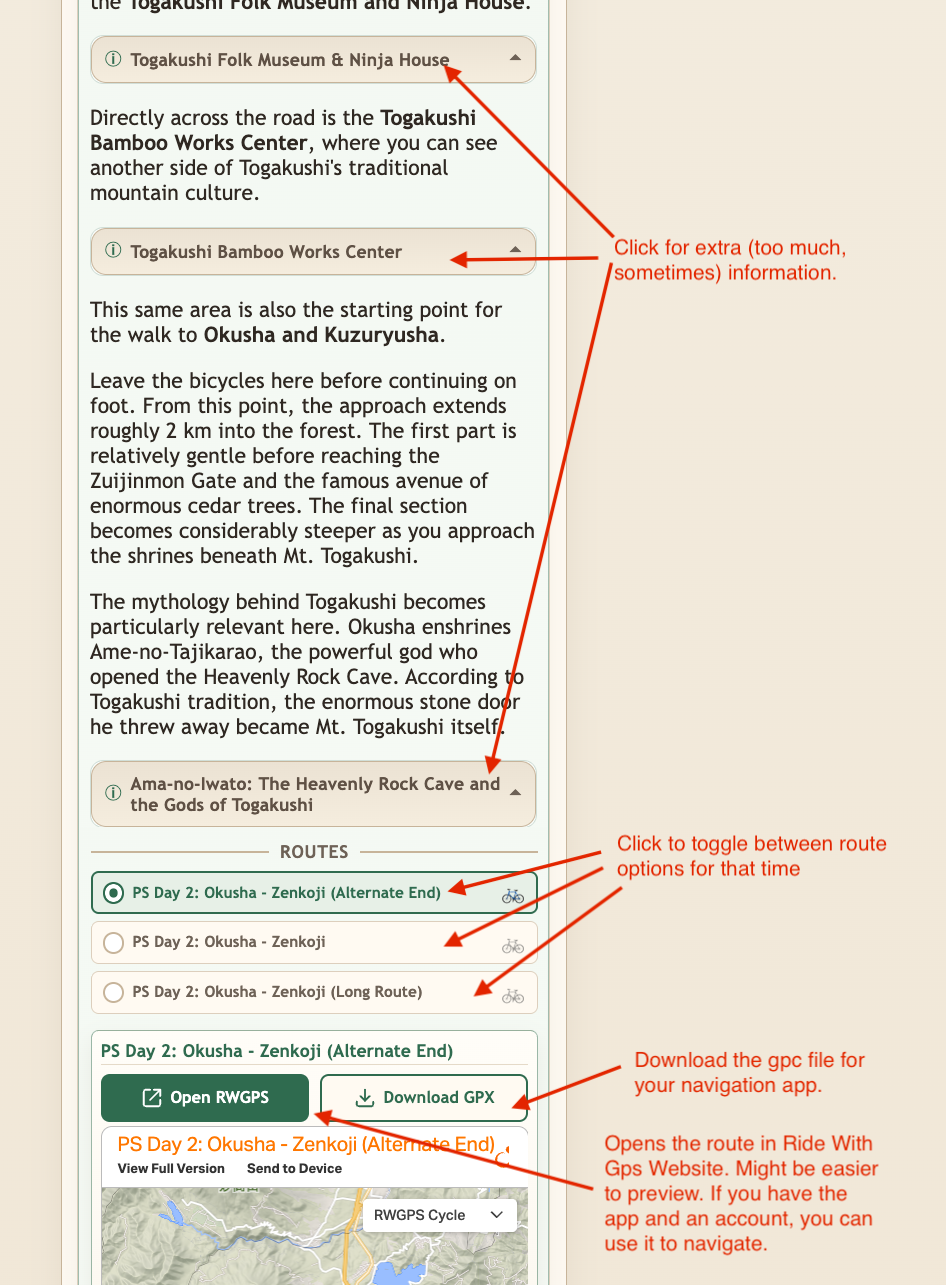
Throughout the itinerary you will see small expandable information sections.
These contain background or practical information that may be useful, but you do not need to read everything.
Click the information bar to open it. Click it again to close it.
Some contain practical details about a place, while others explain history, culture, local traditions, or things you may notice along the way.
Much of this information is made up of the little asides and stories I would normally talk about if I were there with you in person. They are there when you are interested in learning more, but feel free to skip them when you are not.
Routes and Maps
Some parts of the day have more than one possible route.
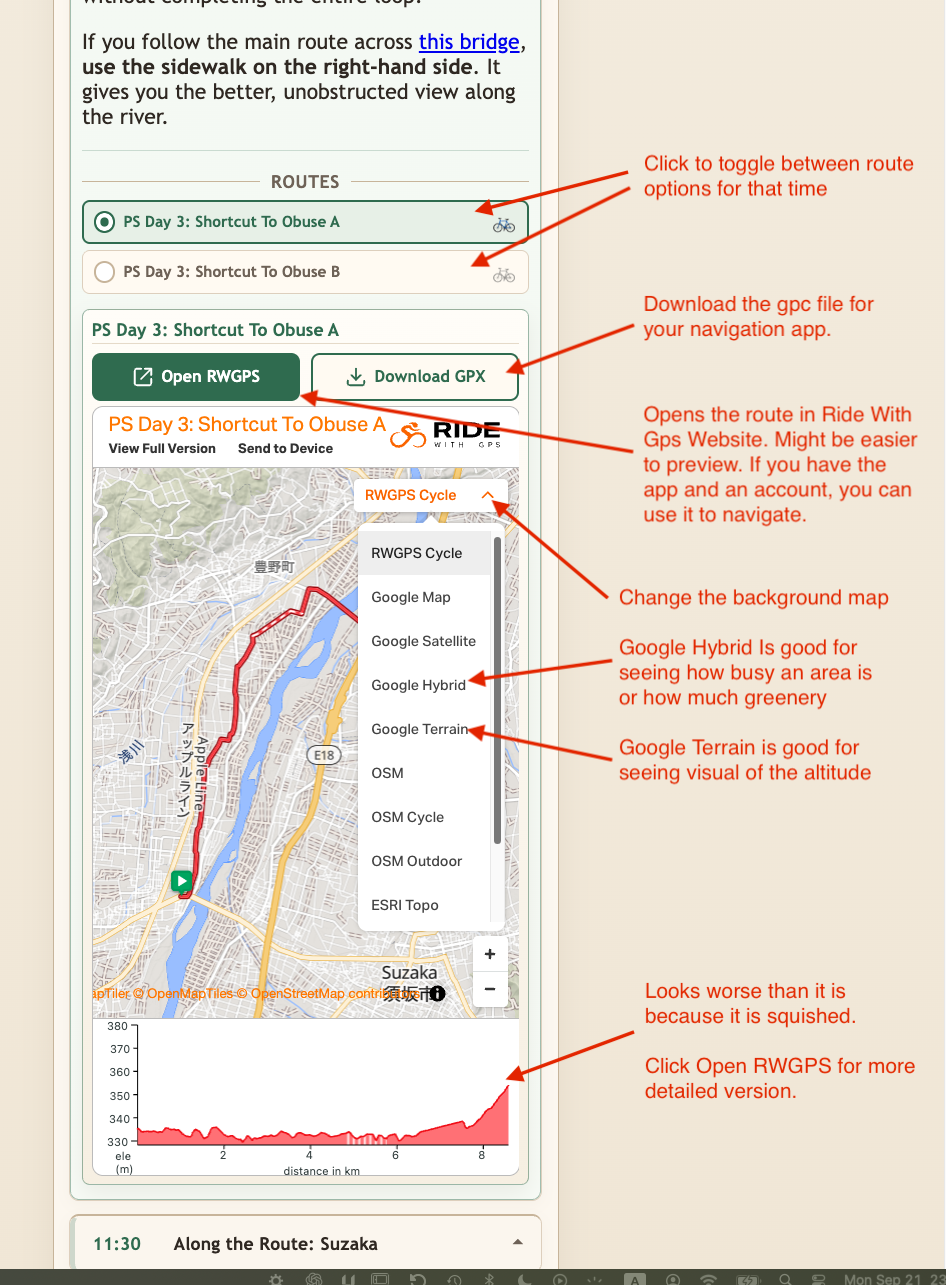
When this happens, the available routes are shown together. Click a route name to switch between them. The map below will change to show the selected route.
This lets you compare the choices before deciding which one you want to ride.
For each selected route you can:
- Open RWGPS to see the route on the full Ride with GPS website.
- Download GPX to download the route file for use with your navigation app.
- Change the background map to get a different view of the area.
Different background maps can be useful for different purposes. For example, satellite or hybrid views can help you see how developed or green an area is, while terrain maps make the surrounding topography easier to understand.
Elevation Profile
An elevation profile appears below the route map.
On a phone it is compressed into a fairly small space, so steep sections can sometimes look more dramatic than they really are.
Use it as a quick indication of where the climbing and descending occur rather than as your only way of judging a route.
For a larger and more detailed route view, click Open RWGPS.
Weather
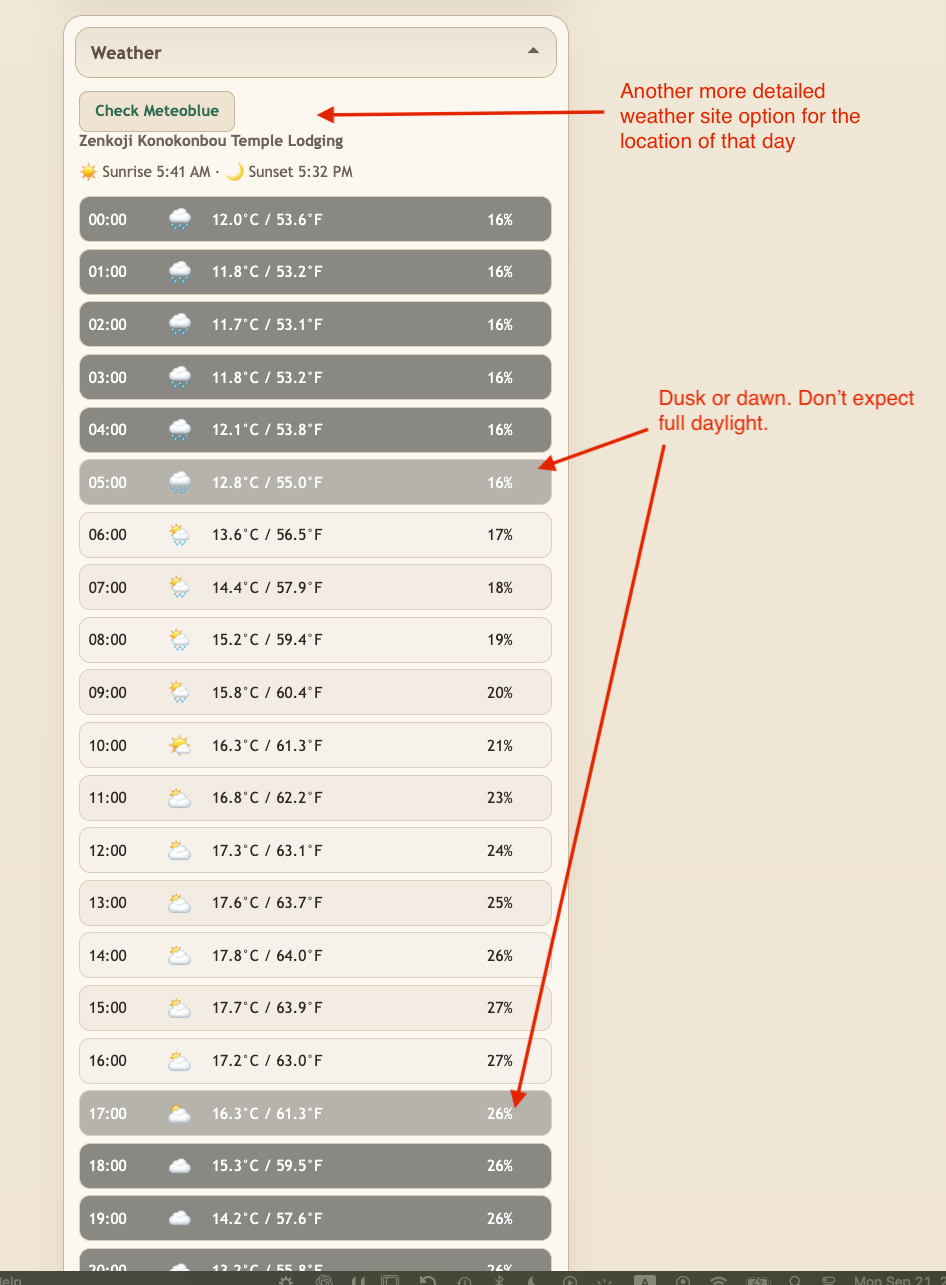
The Weather section gives you an hourly forecast for the location relevant to that day's itinerary.
The darker hours indicate periods around dawn, dusk, or darkness. Do not assume that an hour shown near sunrise or sunset will have full daylight for riding.
There is also a Check Meteoblue button if you want a more detailed forecast for that location.
If you have a favorite weather app or website, let me know. I may be able to add a button that takes you directly to the forecast for the relevant location.
Weather forecasts can change considerably, especially several days in advance. Check the day's forecast again in the morning before deciding what to wear or which route to take.
The Other Sections
At the bottom of each day are several sections that collect useful information from the itinerary.
Reservations contains reservation details relevant to that day.
Routes provides a list of the day's routes. The same routes also appear in the appropriate schedule items, so you normally do not need to come here to find them.
Information collects the additional information sections used throughout that day. They also appear in the relevant places in the schedule.
Map provides the day's overall map when one is available.
These sections are primarily there as a quick way to find something again without searching through the entire schedule.
Check the Itinerary During the Trip
The itinerary is not necessarily final once your trip begins.
I may make changes during the trip based on weather, road conditions, how things are going, feedback from you, or information I receive along the way.
For that reason, check the itinerary during the day rather than relying entirely on something you looked at or downloaded earlier.
Download Routes When You Are Ready to Ride Them
This is especially important for the cycling routes.
Do not download all of the GPX routes at the beginning of the trip and then use those saved copies throughout the trip.
I may make small changes to a route during the trip. For example, I might adjust it based on your experience on previous days, feedback about a road, or something that has changed locally.
Download the GPX file when you are getting ready to use that route.
If your phone or browser says that you have already downloaded the file and asks whether you want to download it again, download it again. The version in the itinerary is the current version, while the copy already on your phone may be an older one.
The Simplest Way to Use the Itinerary
You do not need to use every feature.
For normal day-to-day use:
- Open today's itinerary.
- Check the schedule for any changes.
- Expand the part of the day you are currently doing.
- Read the practical information there.
- If there are route choices, select the route you want.
- Download the route when you are ready to ride it.
- Open the extra information when you want to know more.
- Check the itinerary again during the day, particularly before starting a new route or activity.
The itinerary contains a lot of information because it is there when you need it. You are not expected to read all of it.