Preparing OsmAnd for your One Life Japan cycling trip.
If you have limited mobile data, connect to Wi-Fi before downloading maps.
Install OsmAnd & Download Offline Maps
Step 1 – Install OsmAnd
Download and install OsmAnd from the official website.
➡️ Official OsmAnd Website
Step 2 – Download Offline Maps
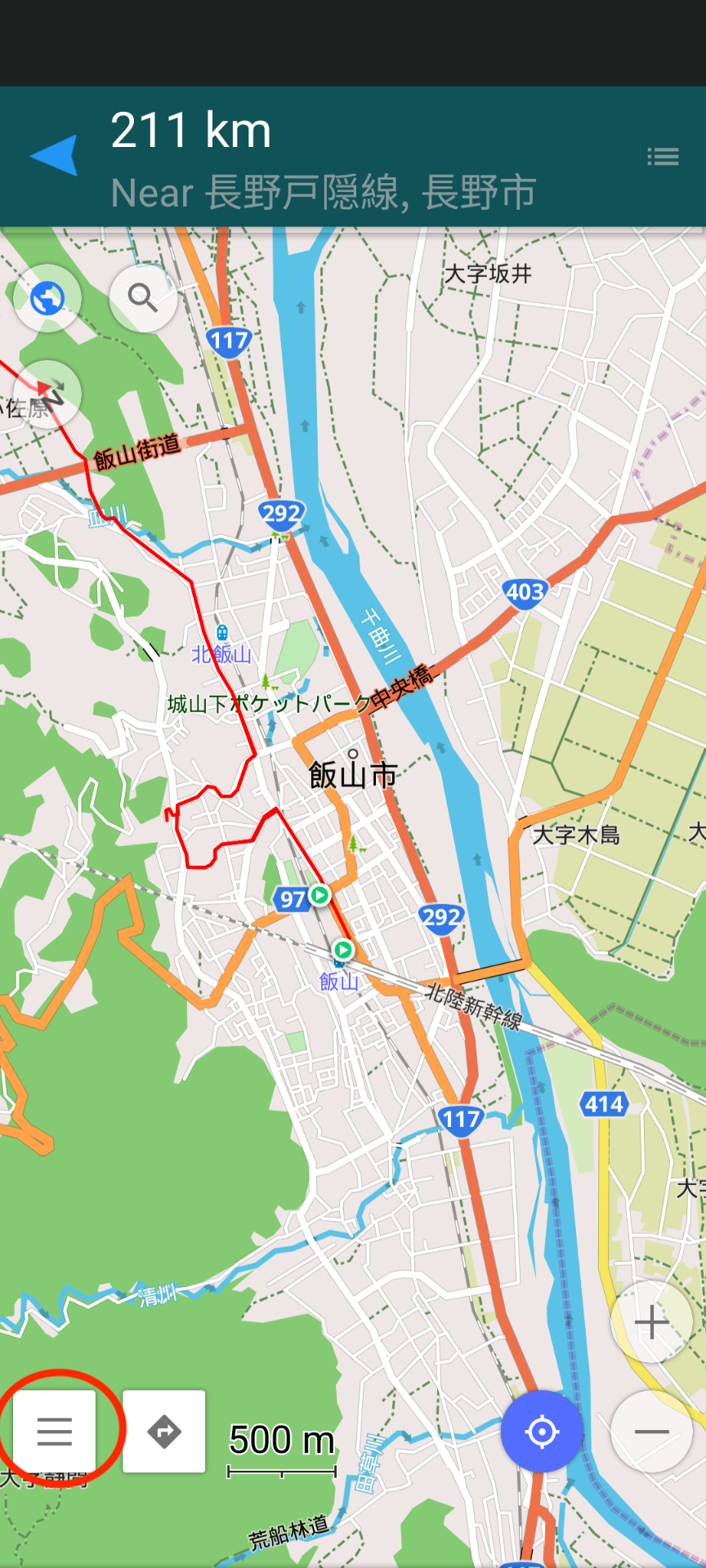
1. Open the menu
Tap the ☰ Menu button in the lower-left corner.
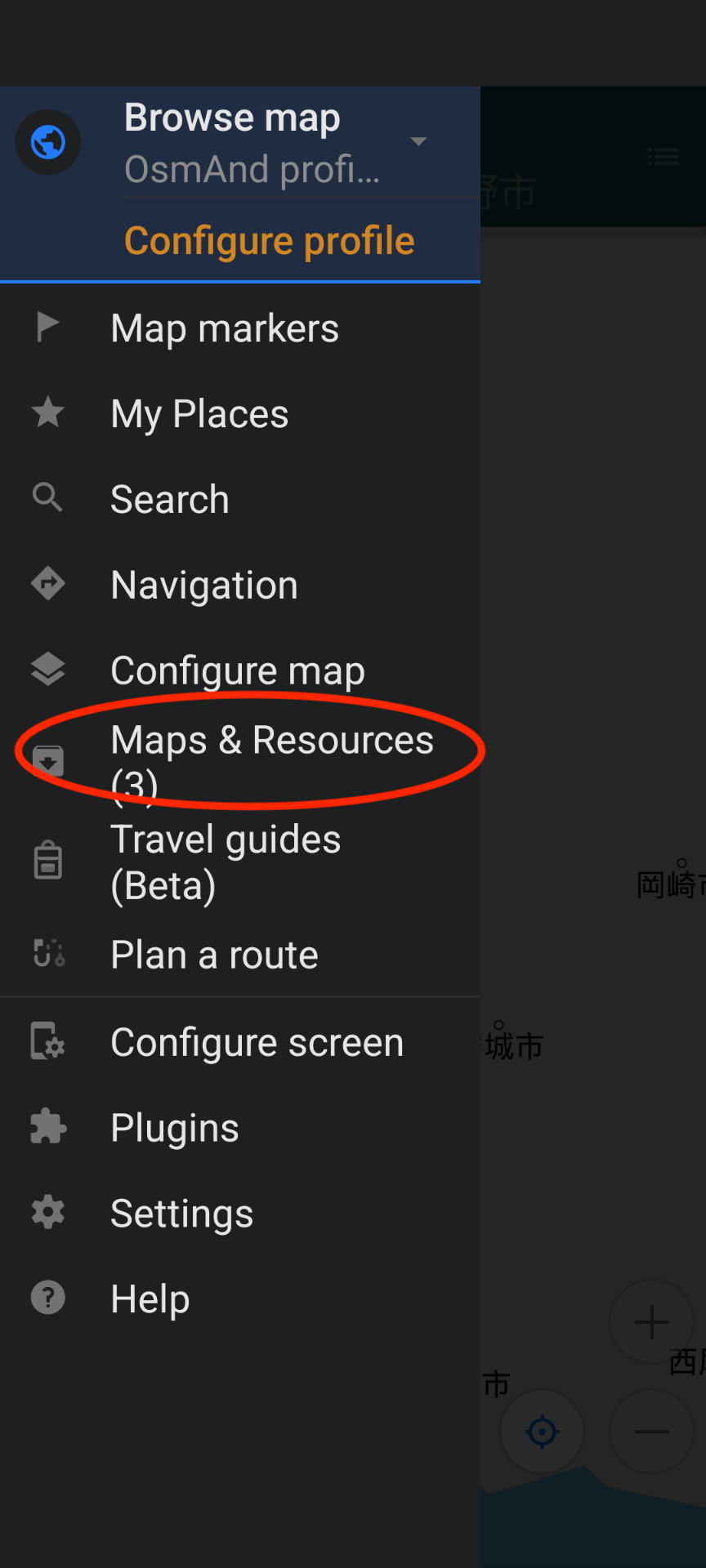
2. Open Maps & Resources
Tap Maps & Resources.
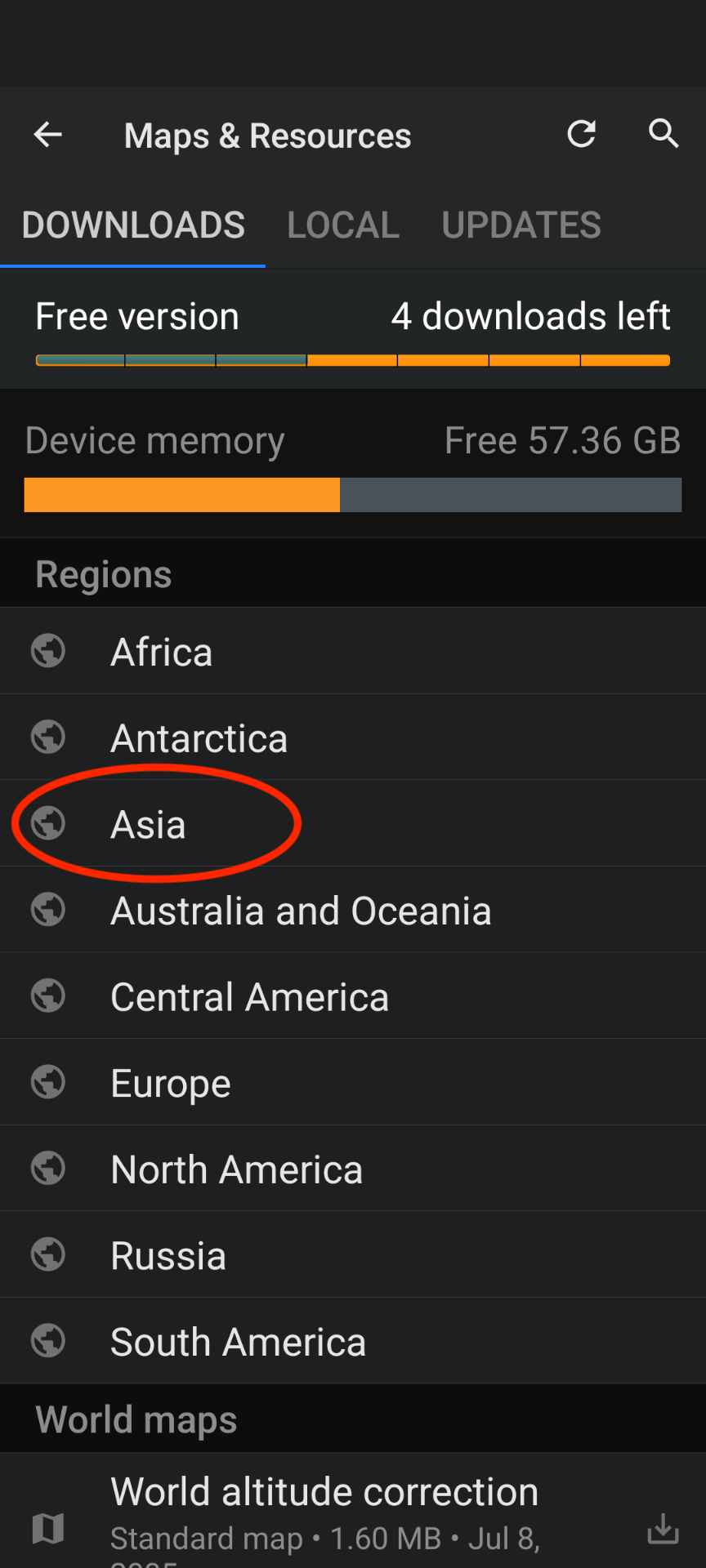
3. Select Asia
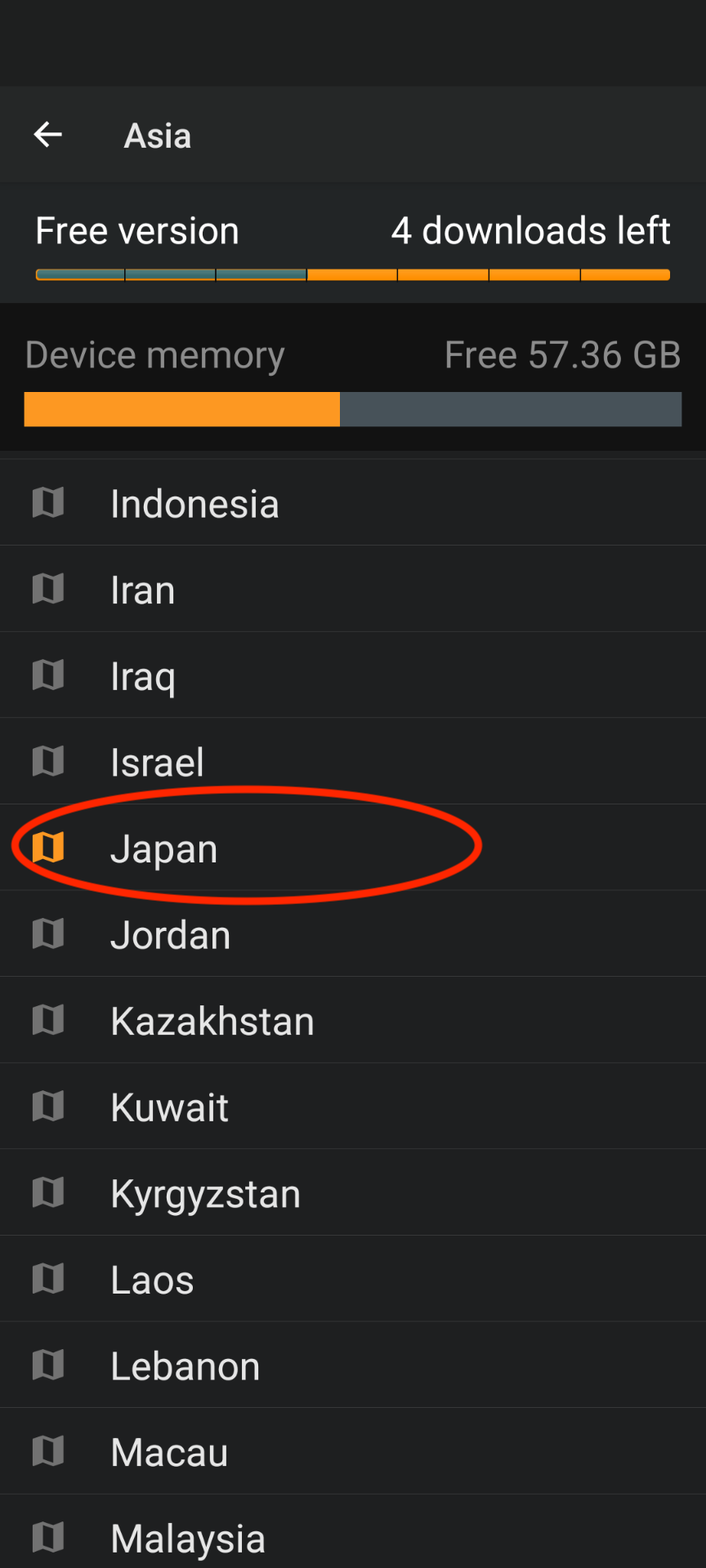
4. Select Japan
5. Select Regions
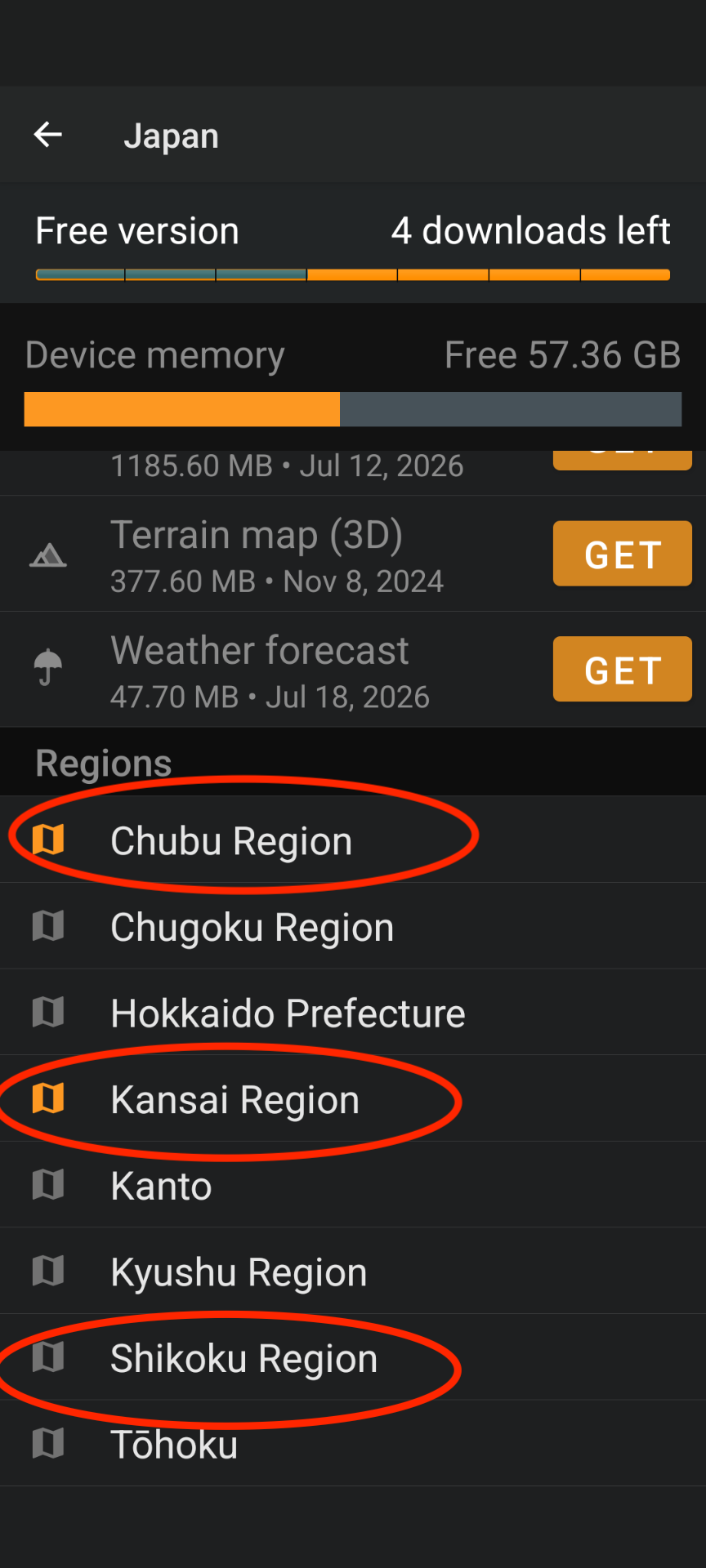
6. Choose Your Region
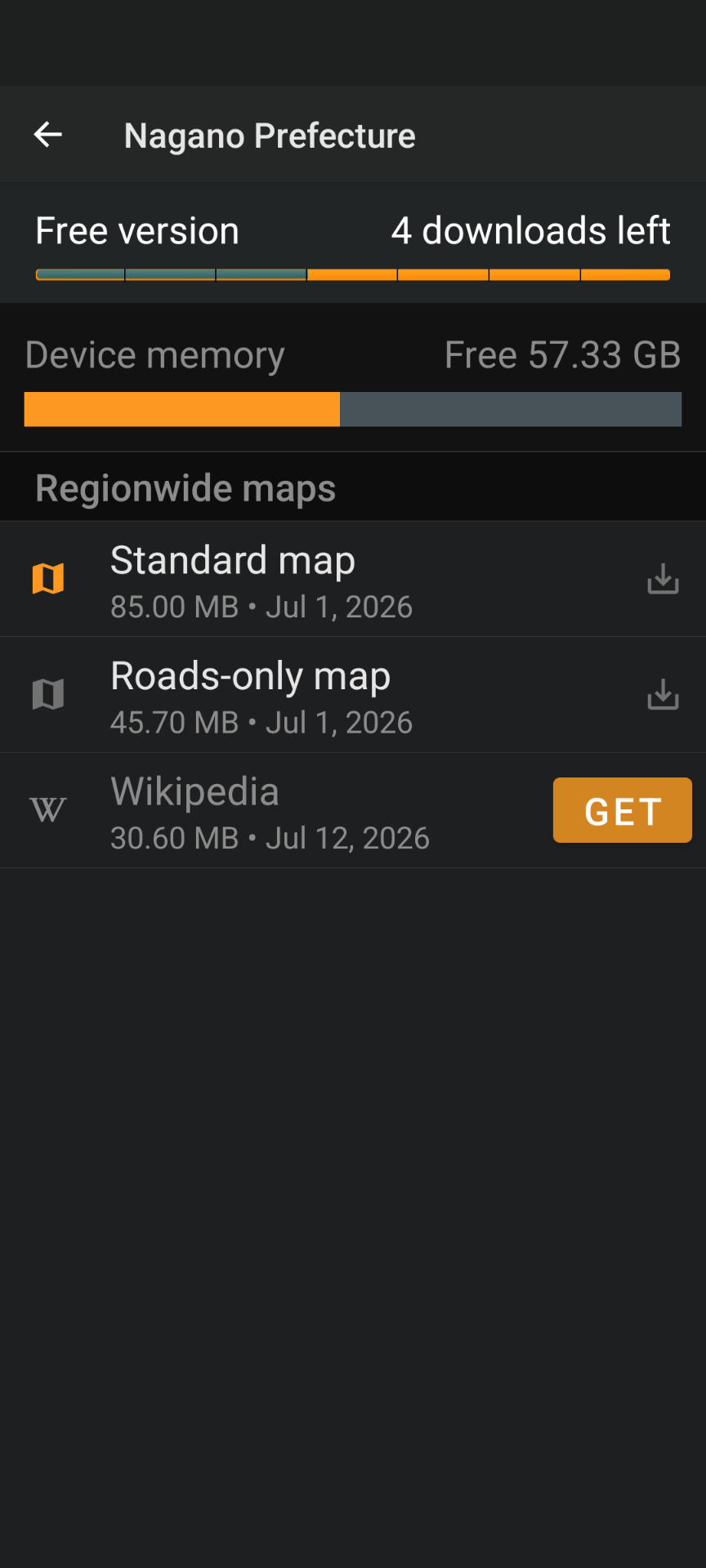
Choose the region for your trip.
- Chubu — Nagano trips
- Kansai — Kyoto, Wakasa and surrounding areas
- Shikoku — Shikoku trips
7. Download the Prefecture Map
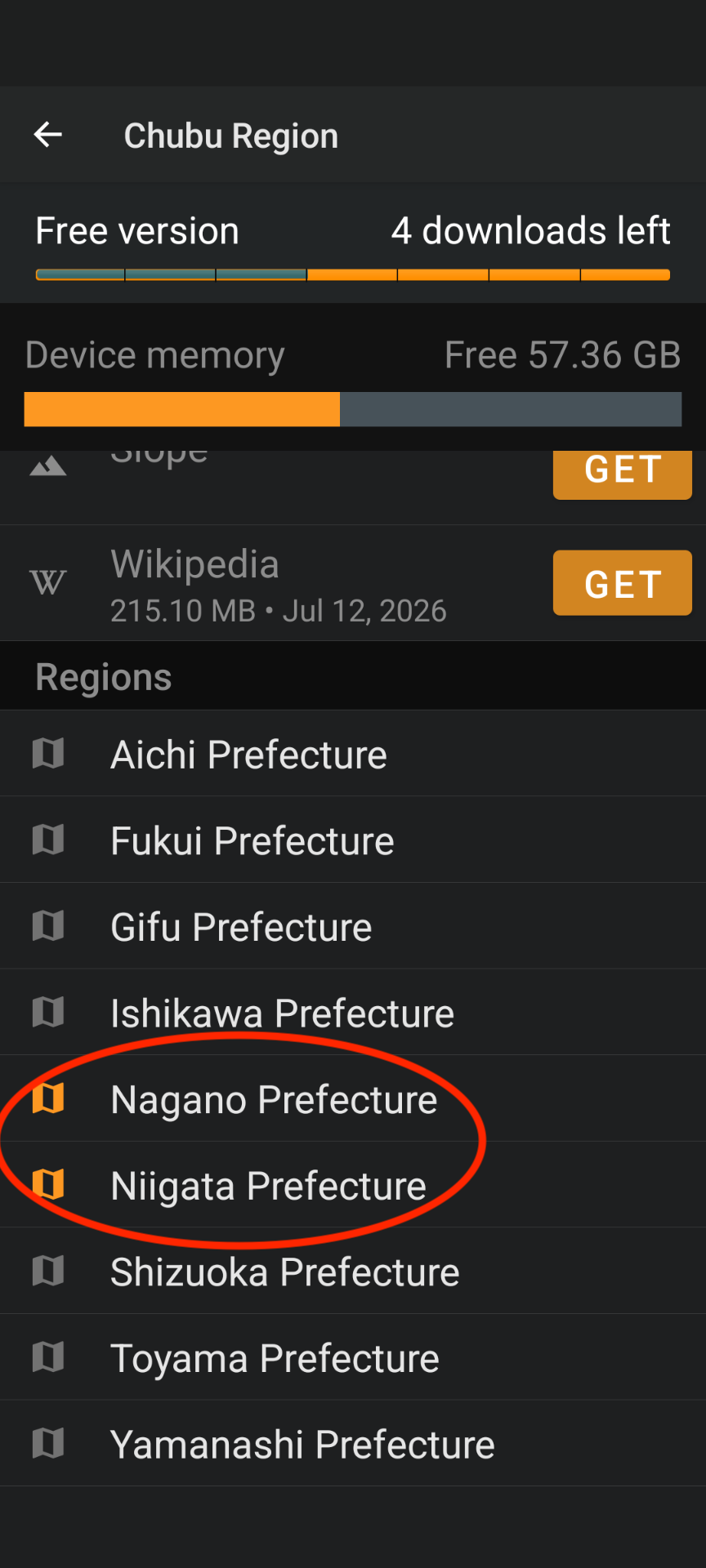
For most Nagano trips select:
Chubu → Nagano (& Niigata) → Standard Map
Wait until the download finishes before continuing.
Using Routes
Step 1 – Download Today's Route
Tap Download GPX on the One Life Japan route page.
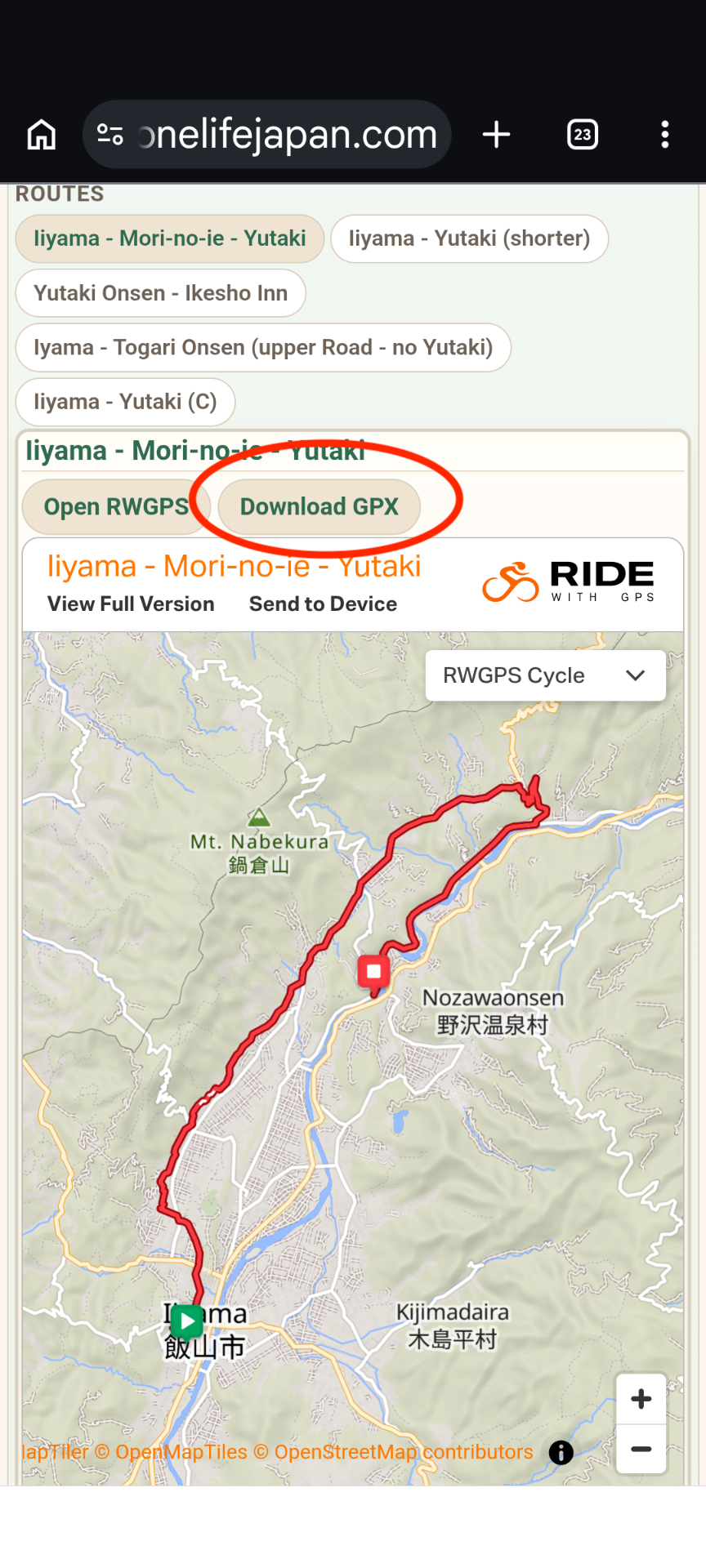
If Android asks whether you want to Download again, tap Download again.
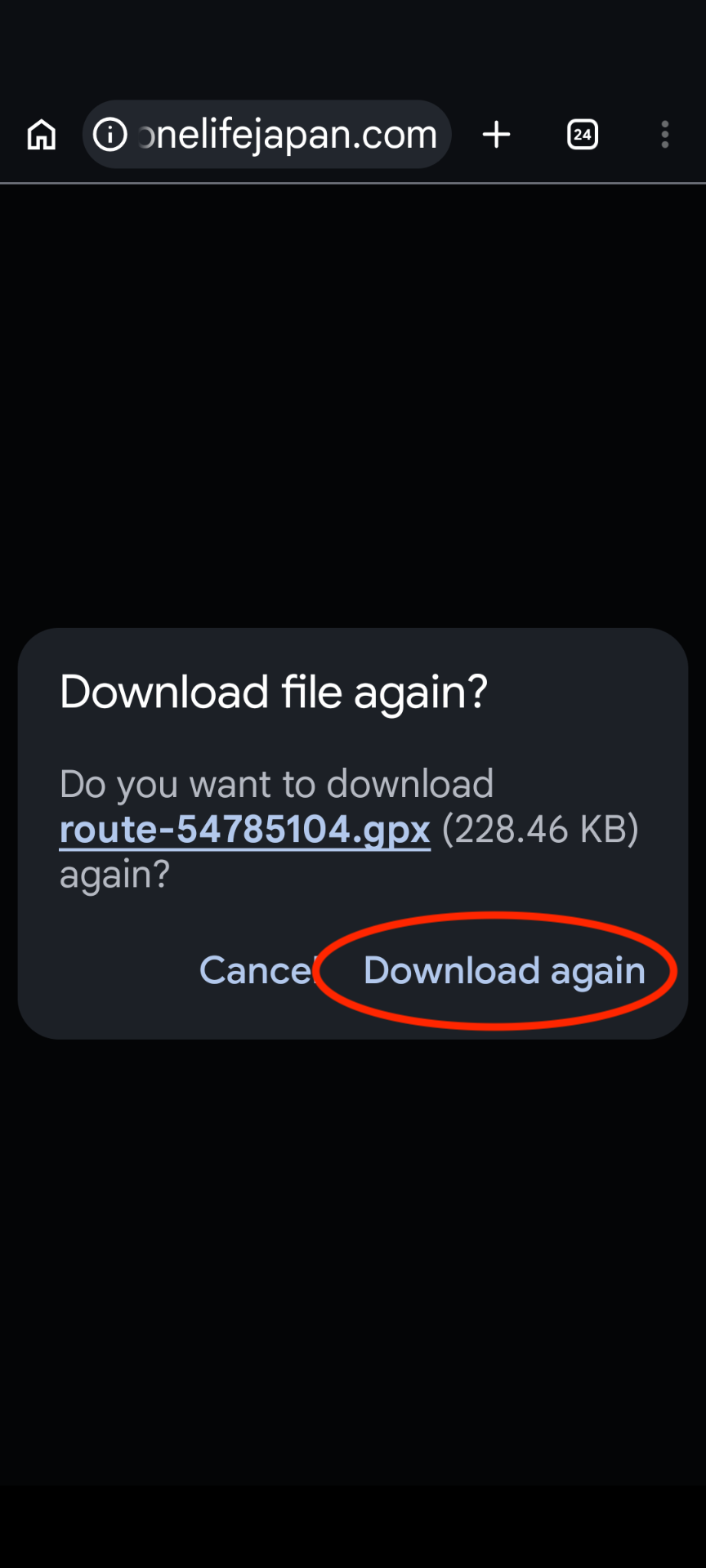
Always download the route before every ride.
Routes are occasionally updated with improvements or corrections. Downloading it again ensures you have the latest version.
Step 2 – Open the Route
If your phone displays an Open with OsmAnd prompt, simply choose OsmAnd.
If nothing happens:
Open the ☰ Menu and tap My Places.
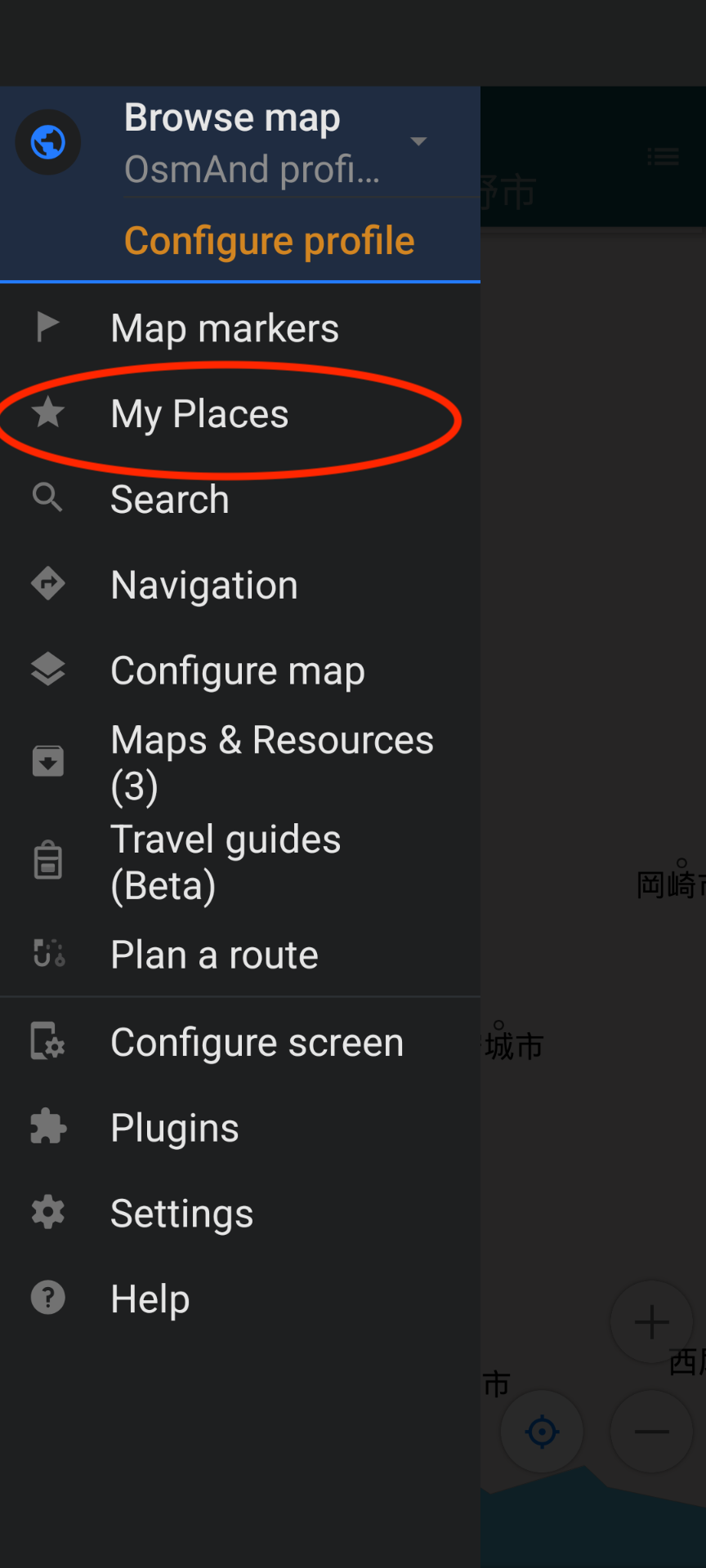
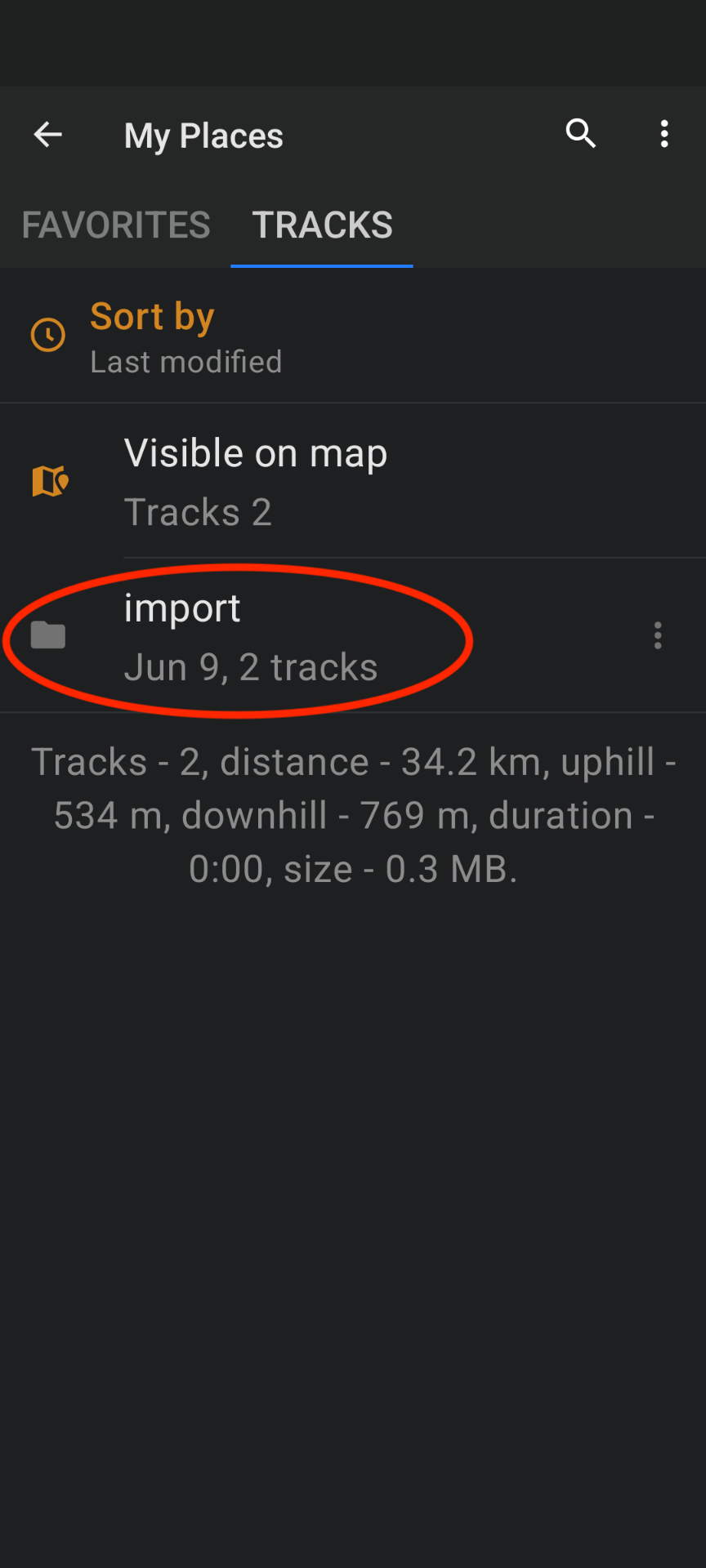
Open the Tracks tab if necessary.
Normally you'll see an import folder.
Open it.
If you don't see the import folder, tap the ⋮ menu and choose Import.
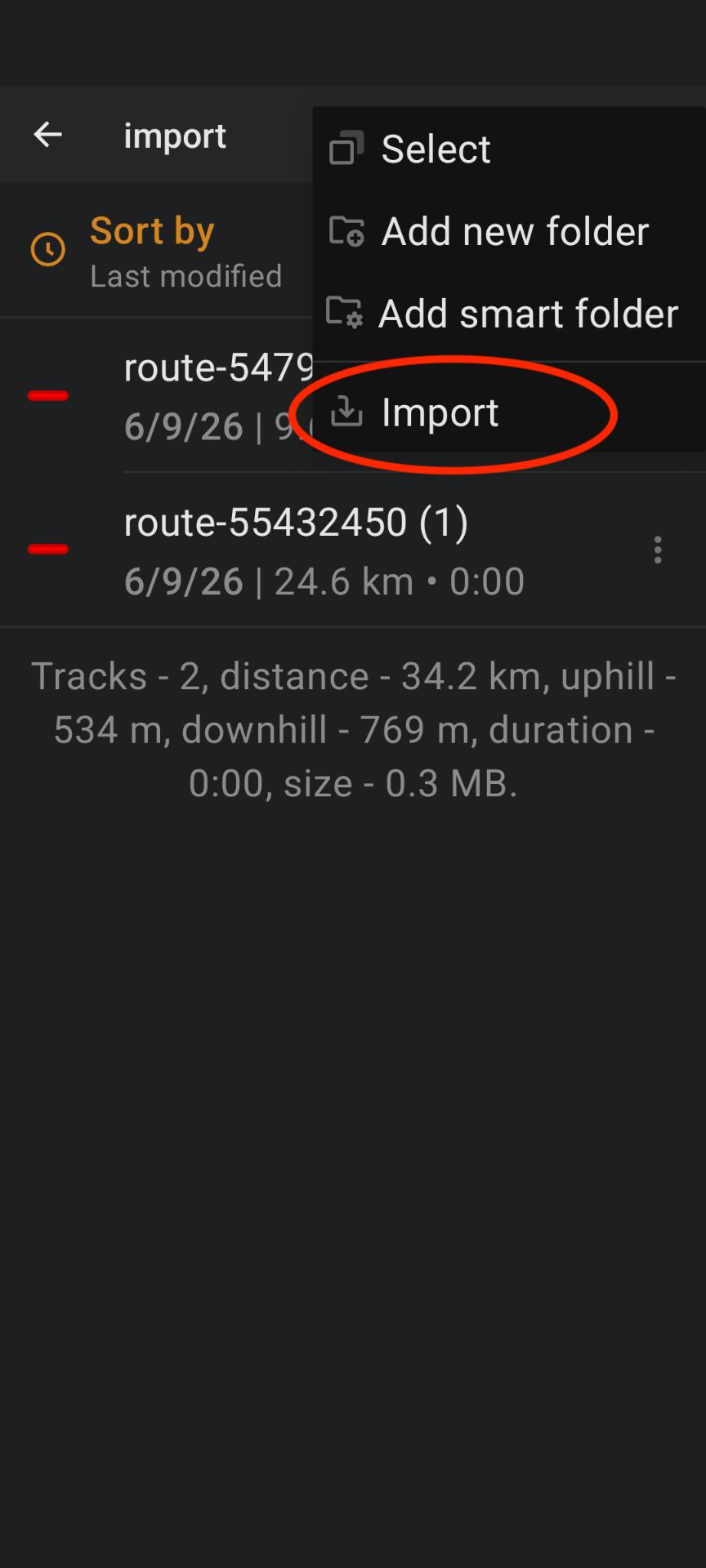
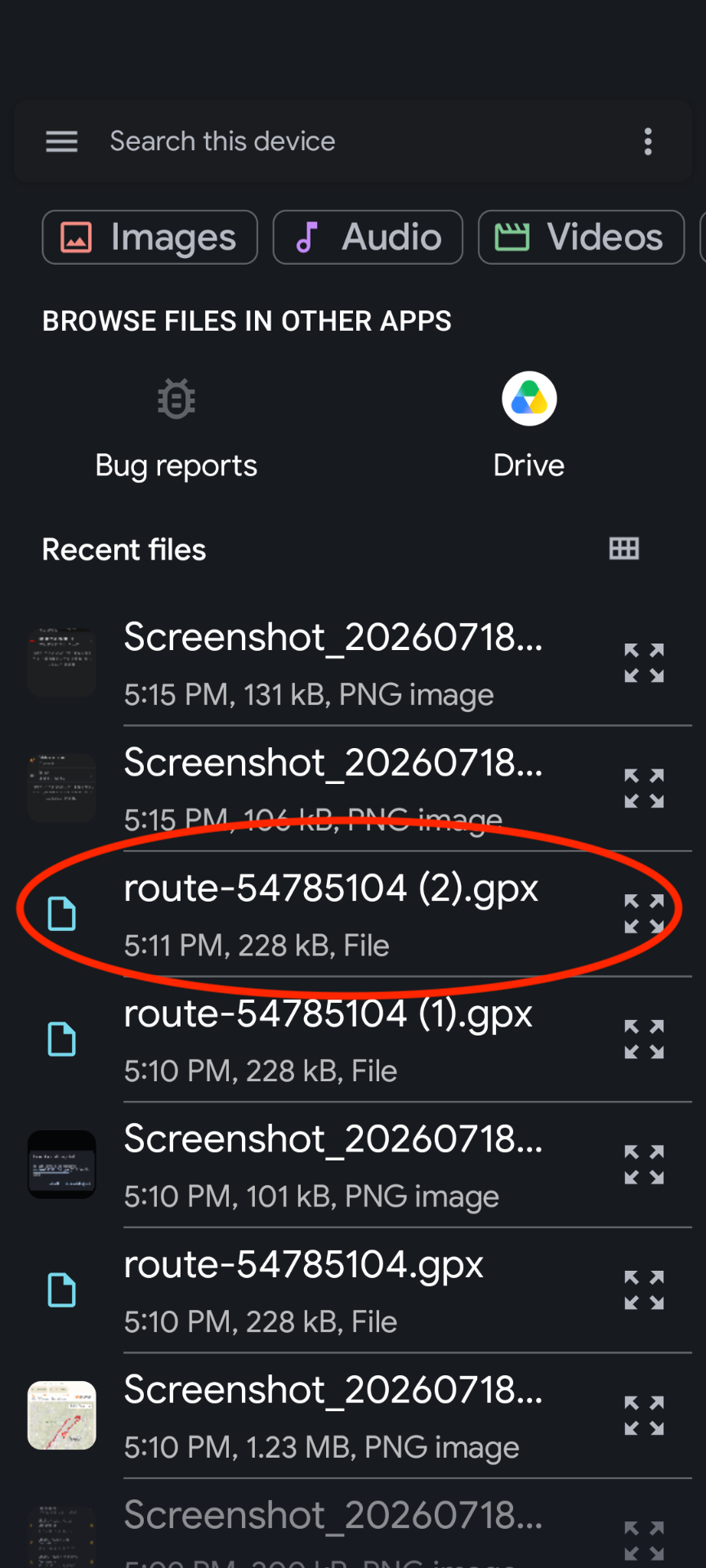
Browse your phone and select the downloaded GPX file.
It will usually be named something like:
route-12345678.gpx
Step 3 – Start Navigation
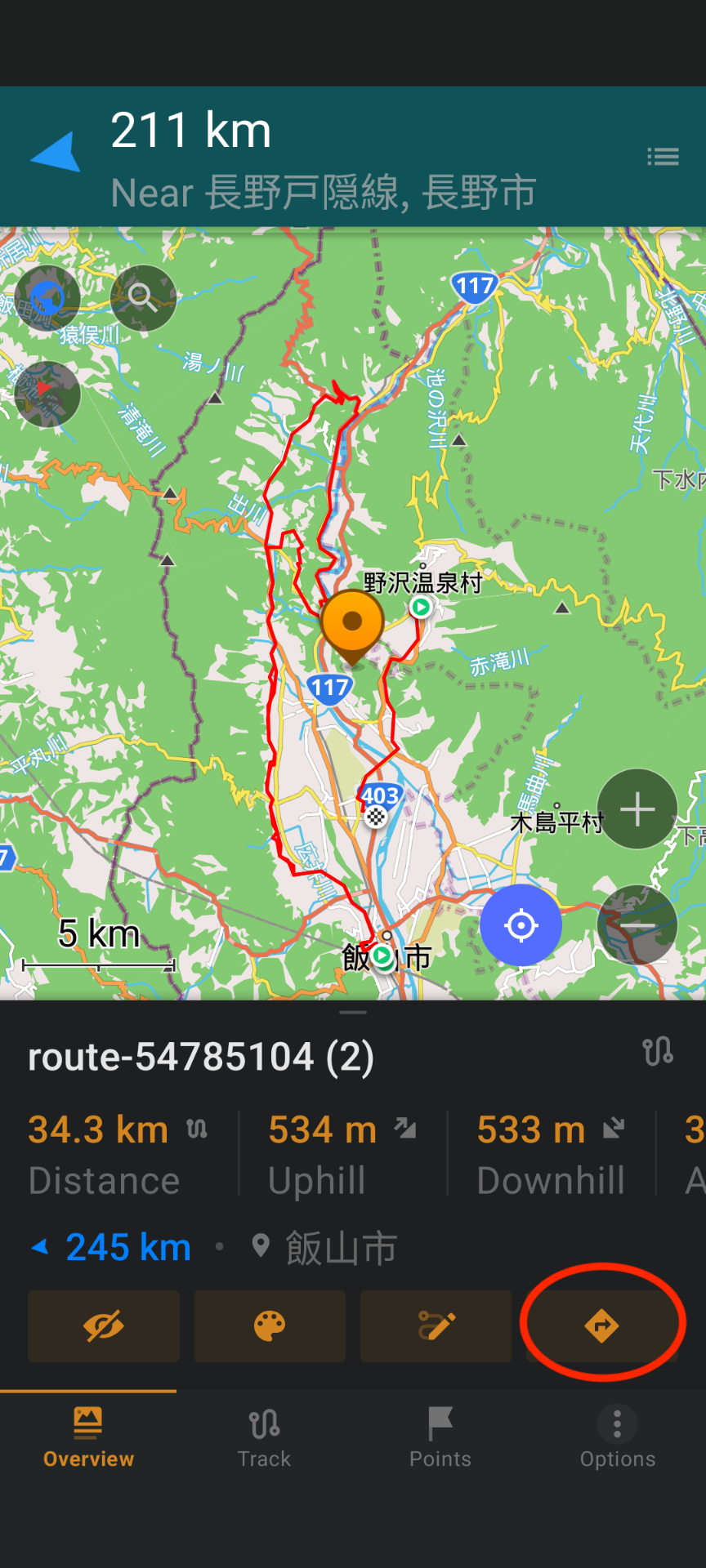
Once the route is displayed, tap the Navigation (arrow) button.
Review the route, then tap the orange Start button.
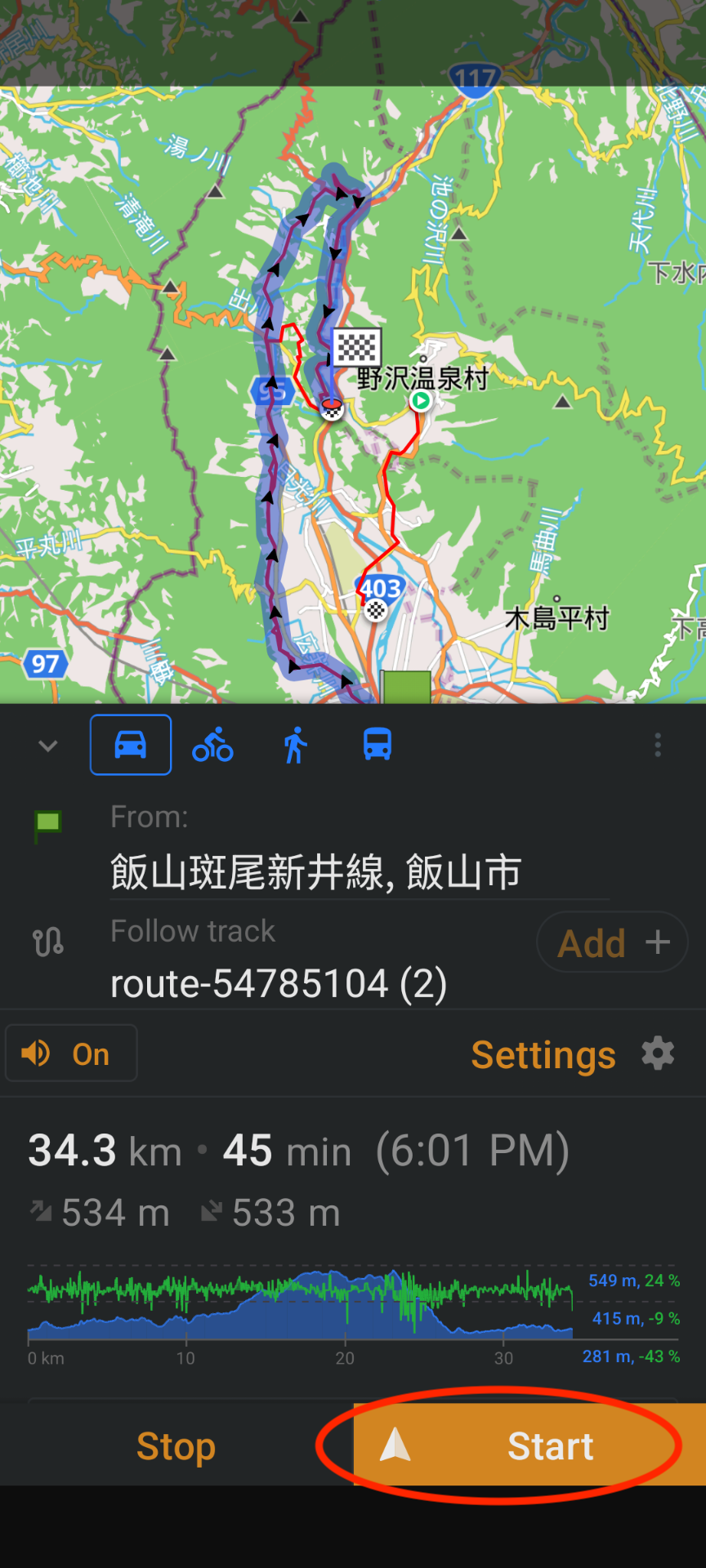
OsmAnd will now begin turn-by-turn navigation.
Troubleshooting
My phone didn't ask to open the GPX file in OsmAnd
This is normal on many newer Android phones.
Open:
☰ Menu → My Places → Tracks → import
or
☰ Menu → My Places → ⋮ → Import
Then browse to the downloaded route-xxxx.gpx file and open it.